Owner / Rep · 4 min read
Fixes: leads not arriving, a real lead junked, a rep not getting alerts
What you'll get
The three problems people actually hit, with the exact screens that solve them.
Before you start
- For leads: owner sign-in on the web.
- For alerts: the rep's phone, with the app open.
- Who
- Owner / Rep
- Read time
- 4 minutes
Step 1: Leads aren't arriving
Open Setup › Integrations and check the card still says enabled: a disabled card refuses deliveries. Re-copy the full URL with 'Copy URL' and paste it into the source again. Send a test from the source. Check that each delivery carries a phone number. Then look in Leads › All leads › 'Show hidden', in case the lead was set aside as junk. Still nothing? Message us from Workspace › Help & support.
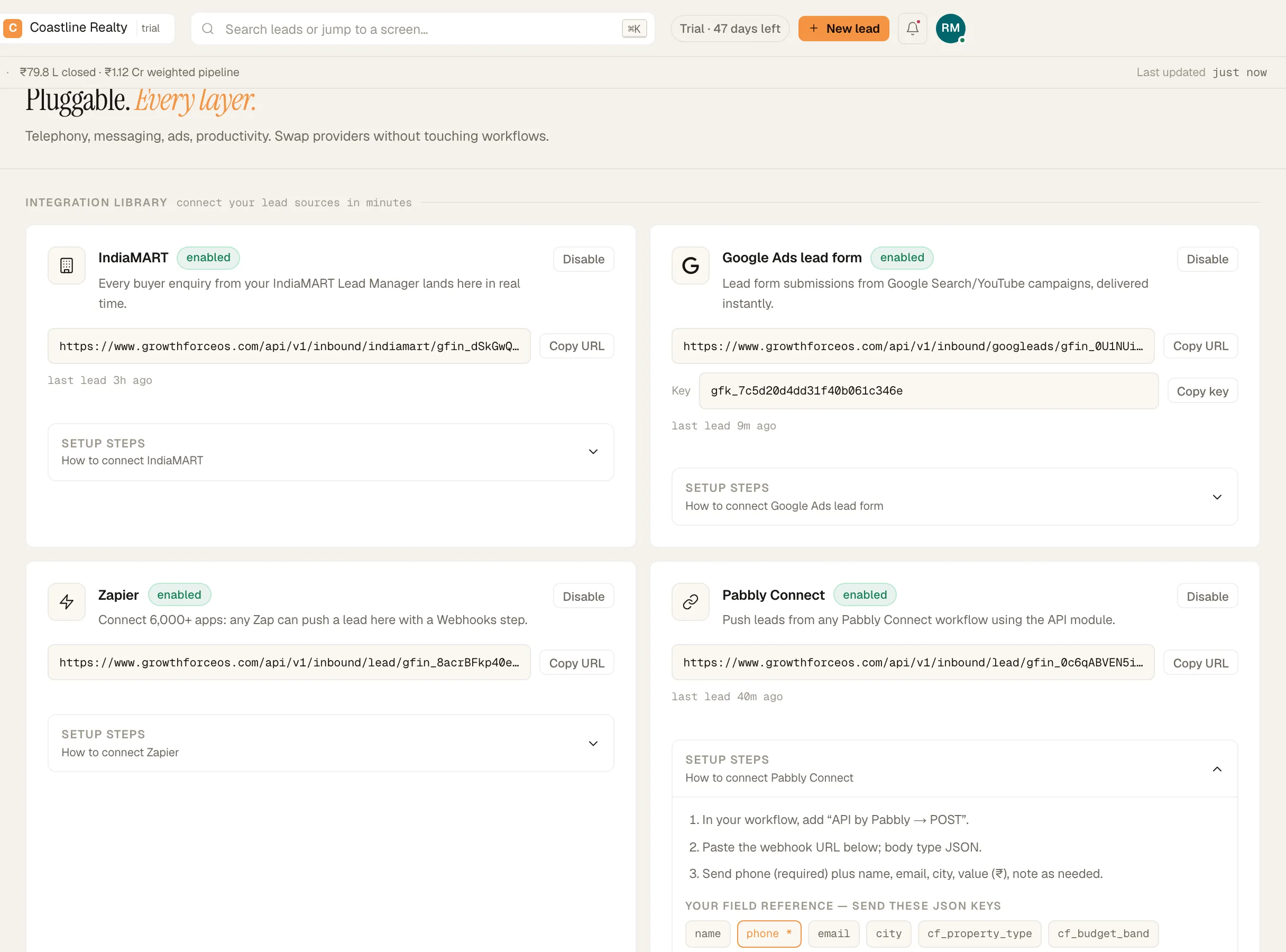
The integration library in Setup › Integrations. Demo workspace. Step 2: A real lead was junked
Leads are set aside as junk when the name is too short, all digits, one repeated character or the phone number, or when one source sends a burst within five minutes. On the web, click 'Show hidden' in Leads › All leads, open the lead and click 'Restore from junk'. On the phone, the Leads tab's parked chip opens the parked and junk list: open the lead and tap 'Restore'. You'll see 'Restored — back in your queue'.
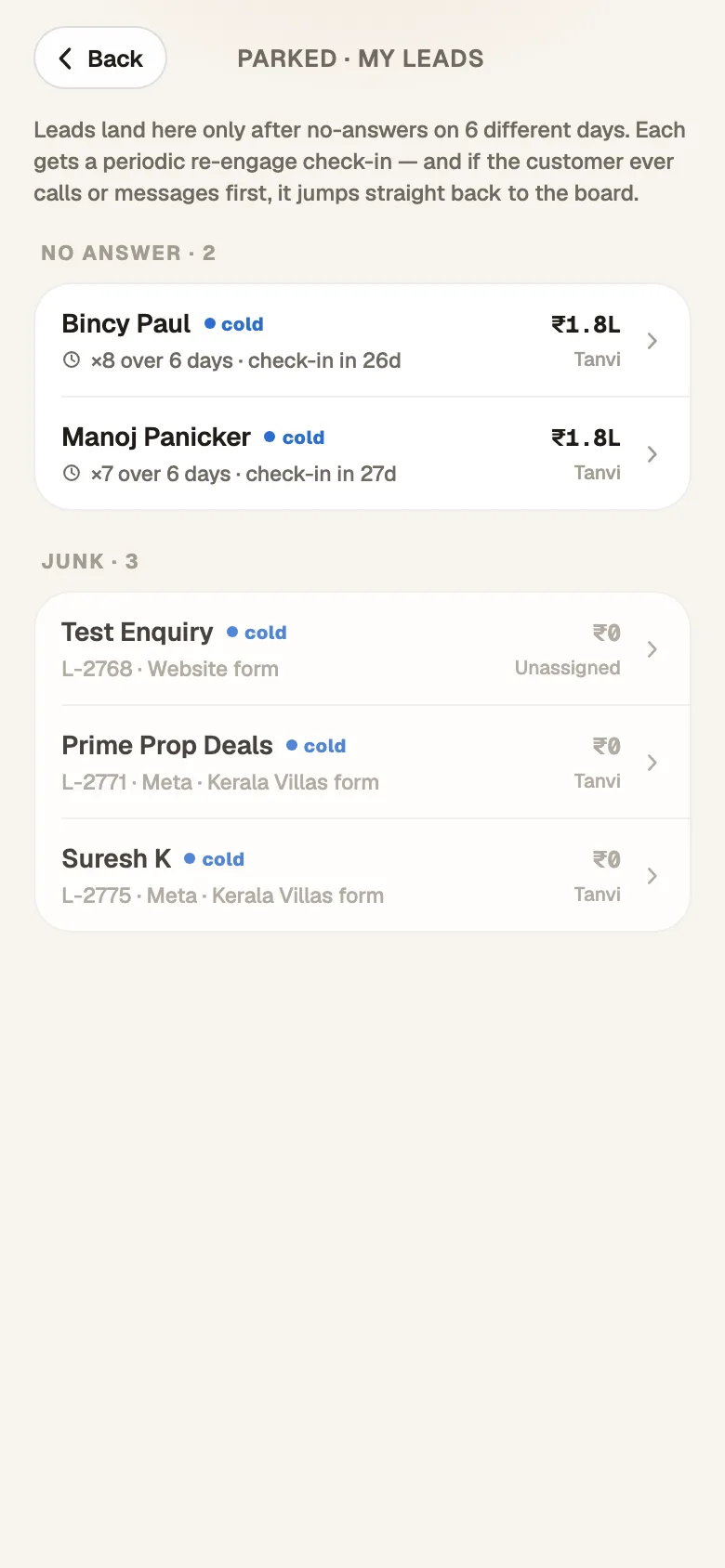
Parked and junked leads, with 'Restore'. Demo workspace. Step 3: A rep isn't getting alerts
On the rep's phone, open the 'You' tab. If 'Notifications' reads 'Notification permission denied on this phone', turn notifications on for the app in Android settings. Check 'Working hours': alerts outside those hours are held until the hours start, not dropped. If it reads 'Not registered on this phone — try signing out and back in', do exactly that with 'Sign out'.
If something's off
None of this fixed it.
Message us from Workspace › Help & support with the source or the rep's name. A person reads every message, and the reply lands in the app and in your email.
Try GrowthForceOS
Trying GrowthForceOS? 60 days free, no card.
No card · 20 seats · 25,000 leads a month · Nothing switches off on day 60