GrowthForceOS for Android
The app your reps will actually open.
Today's leads, a call button, two-tap logging, WhatsApp templates and meeting reminders on one phone. It keeps working when the signal doesn't.


For teams on GrowthForceOS. Reps sign in with the invite their owner sends. There's no sign-up in the app.
Five jobs the app does for your reps
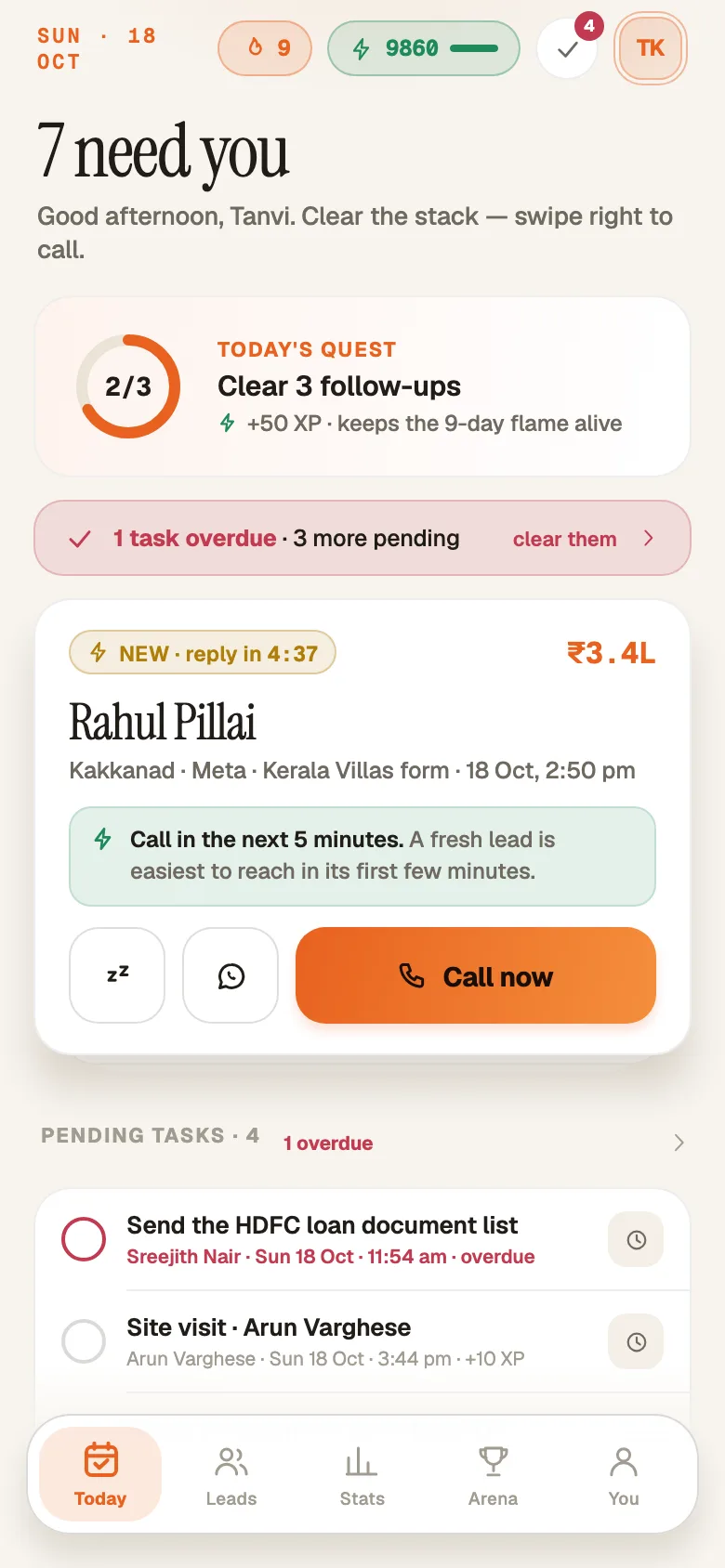
Start with Today.
Fresh leads at the top with a reply clock, then follow-ups due and tasks, each with the reason it's there.
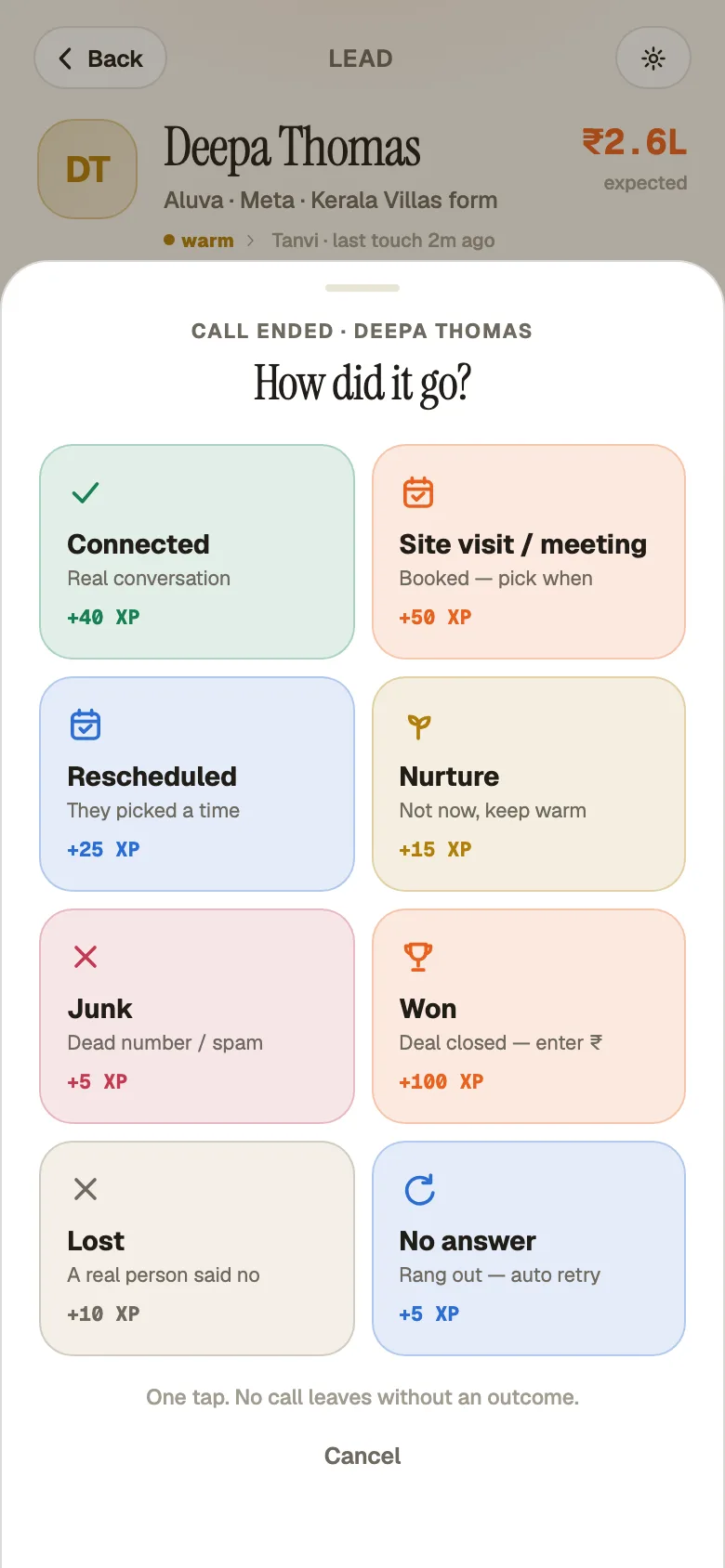
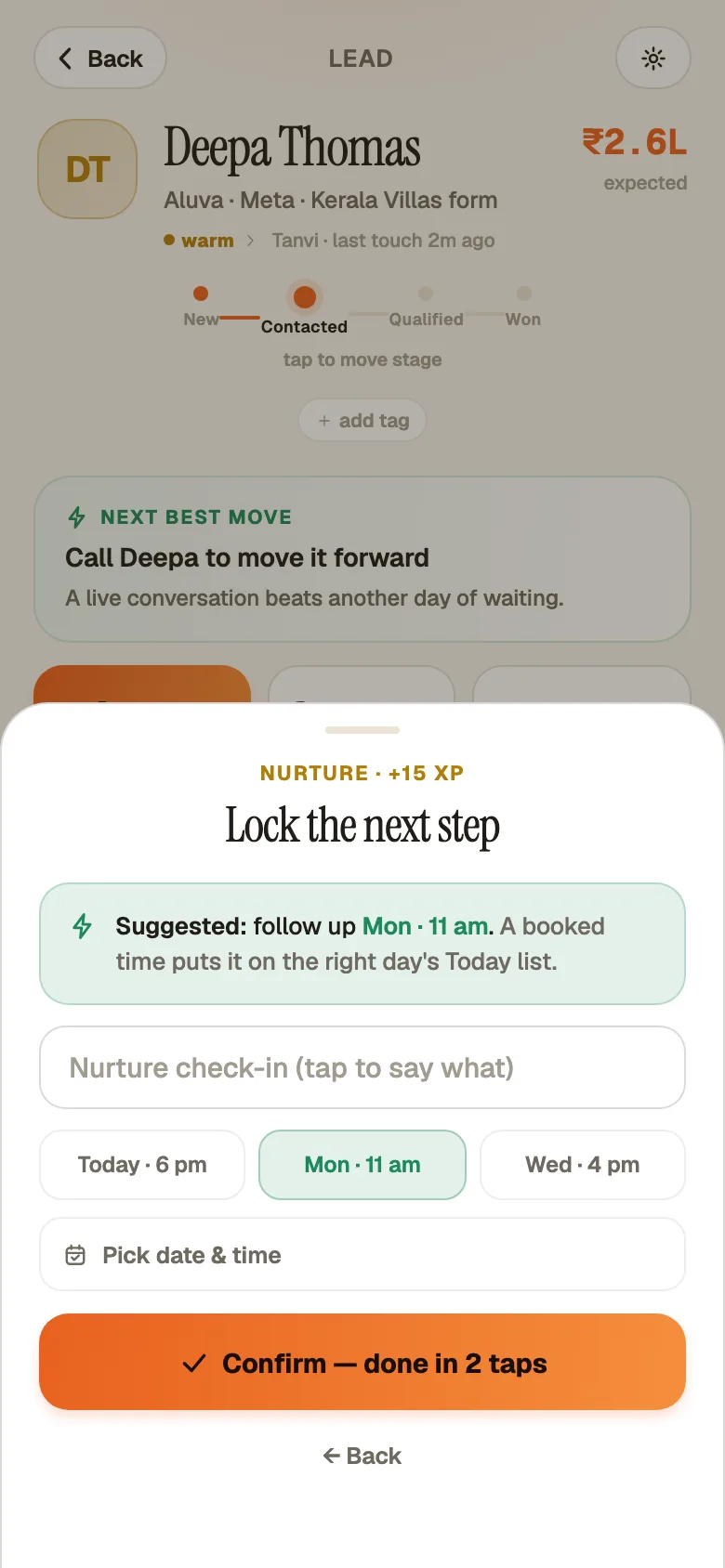
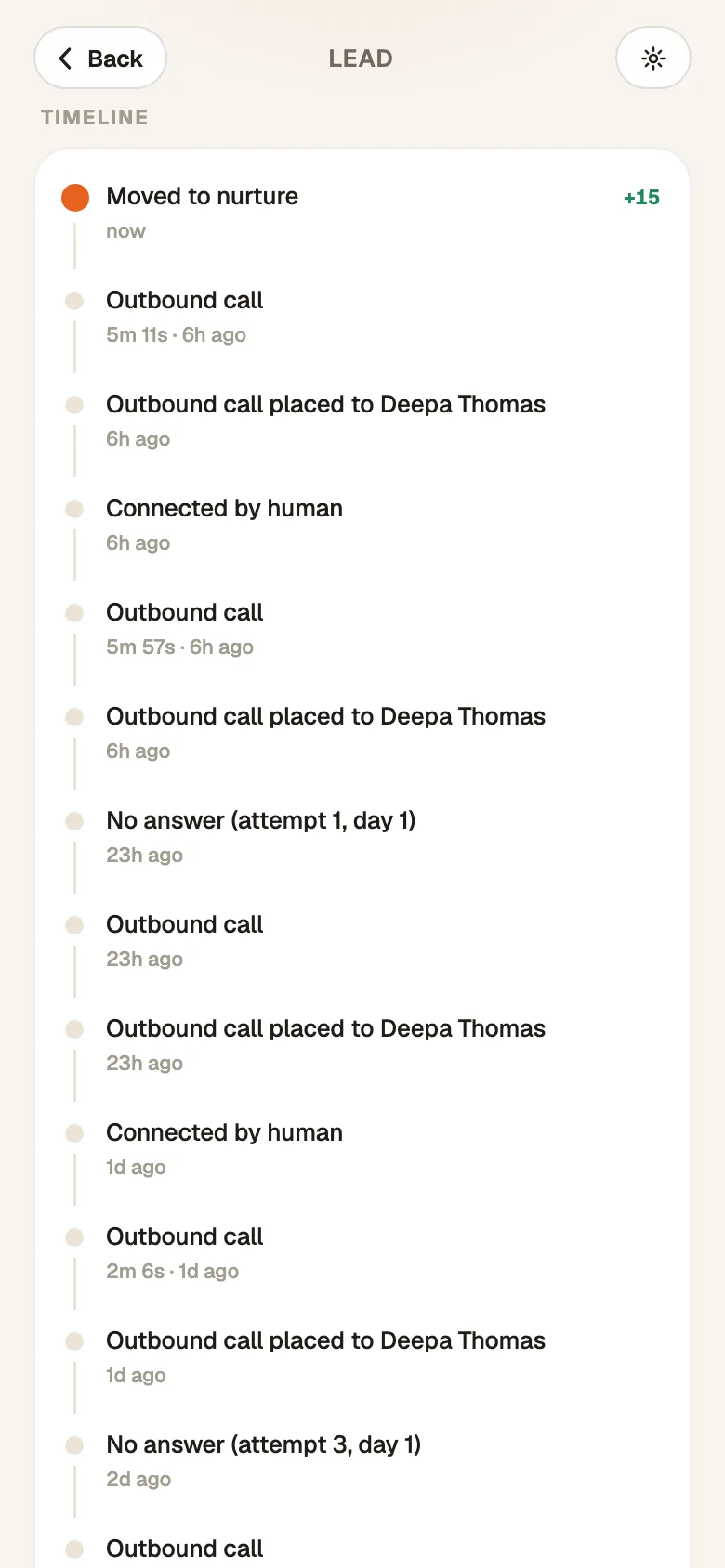
Hang up, tap twice, move on.
'Call now' from the lead. When the call ends, the sheet asks what happened and when the next touch is, then 'Confirm — done in 2 taps'. 'Mark won', 'Mark lost' and 'Mark junk' are right there.
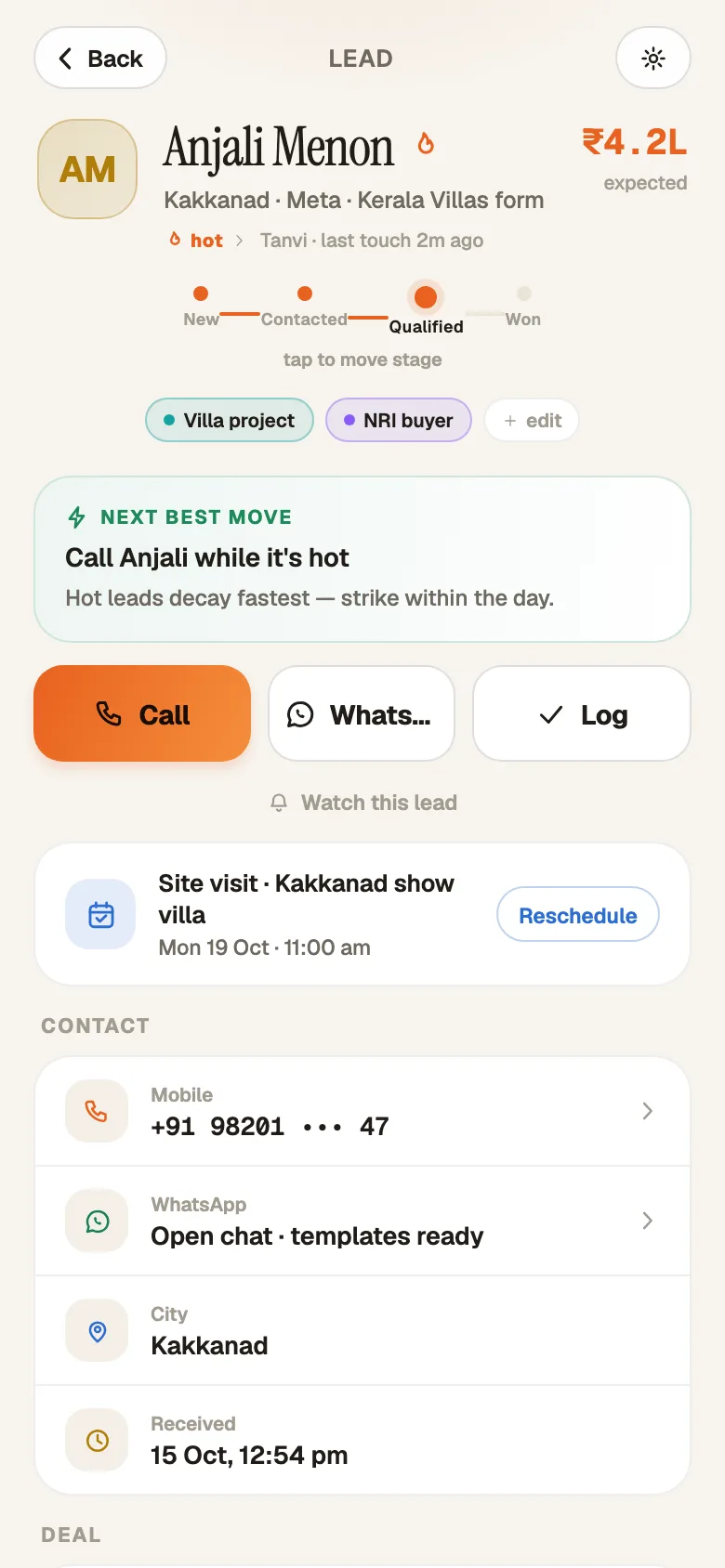
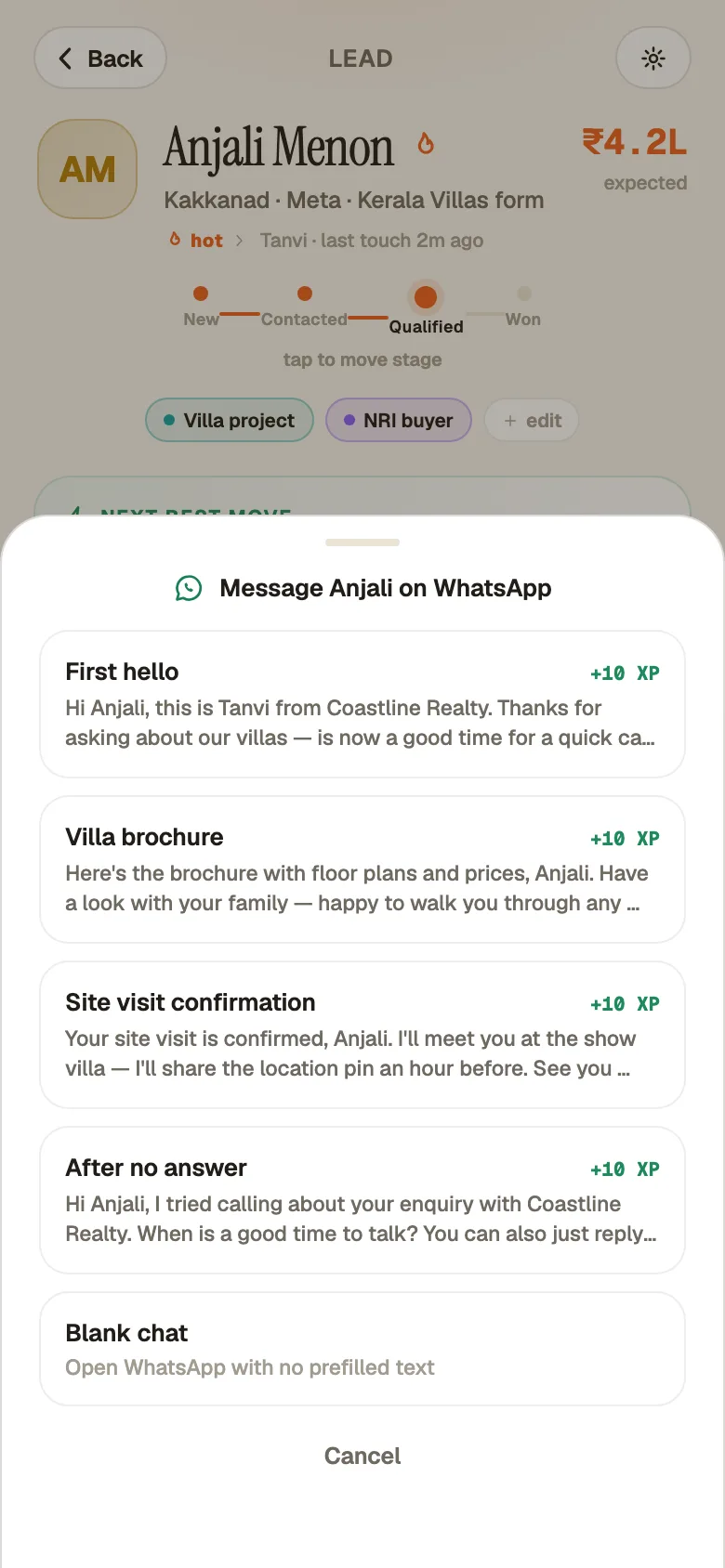
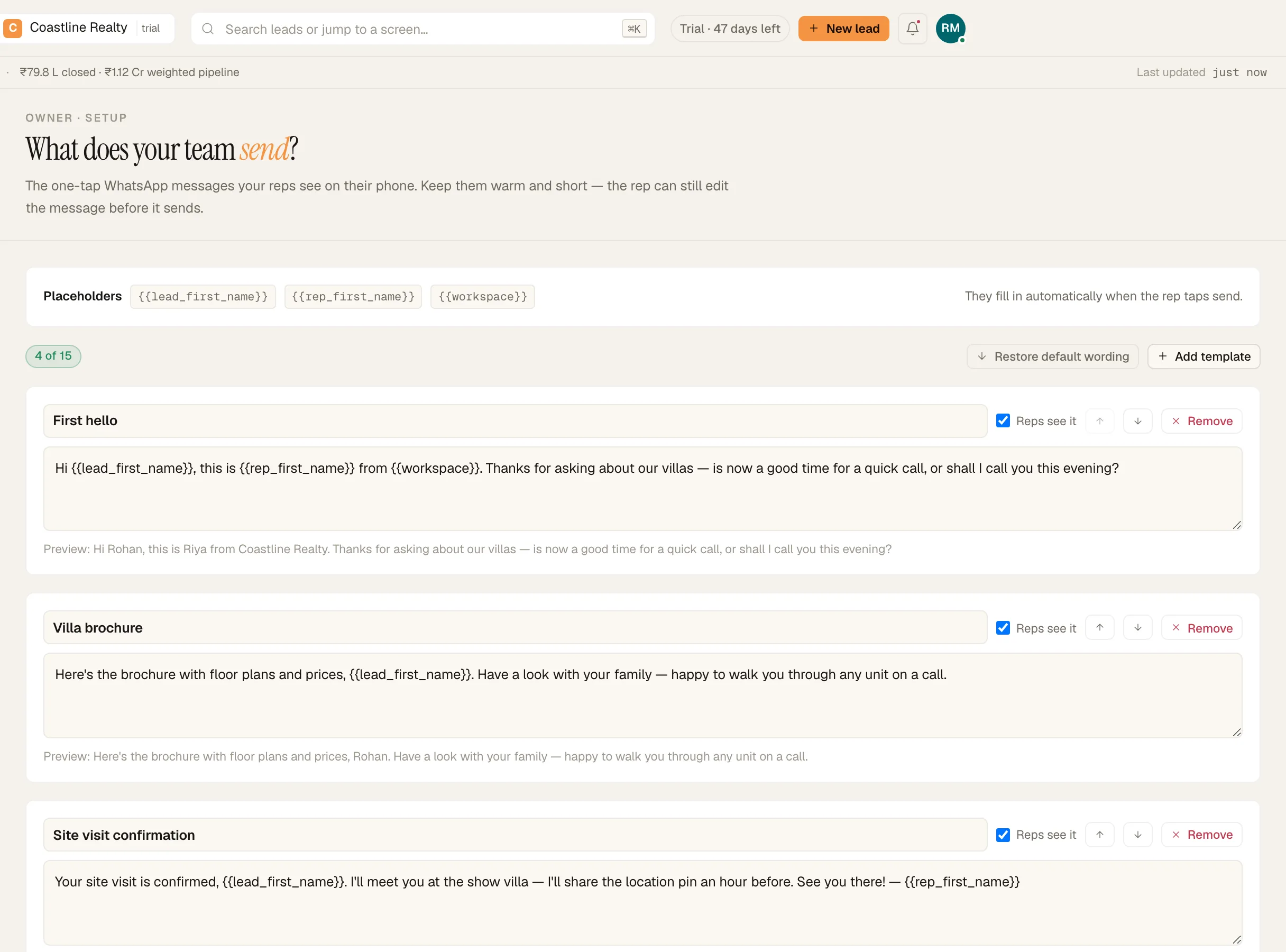
Your words. Their WhatsApp.
You write the templates once. Reps tap 'WhatsApp' › 'Open chat · templates ready', send from their own number, and the lead's timeline records which template went out. The app never reads their chats.
Pinged before every site visit.
Meetings ping an hour before, then 15 minutes before. Afterwards: 'Happened — how did it go?' or 'Didn't happen', plus the next step. Alerts wait out quiet hours instead of buzzing at night.
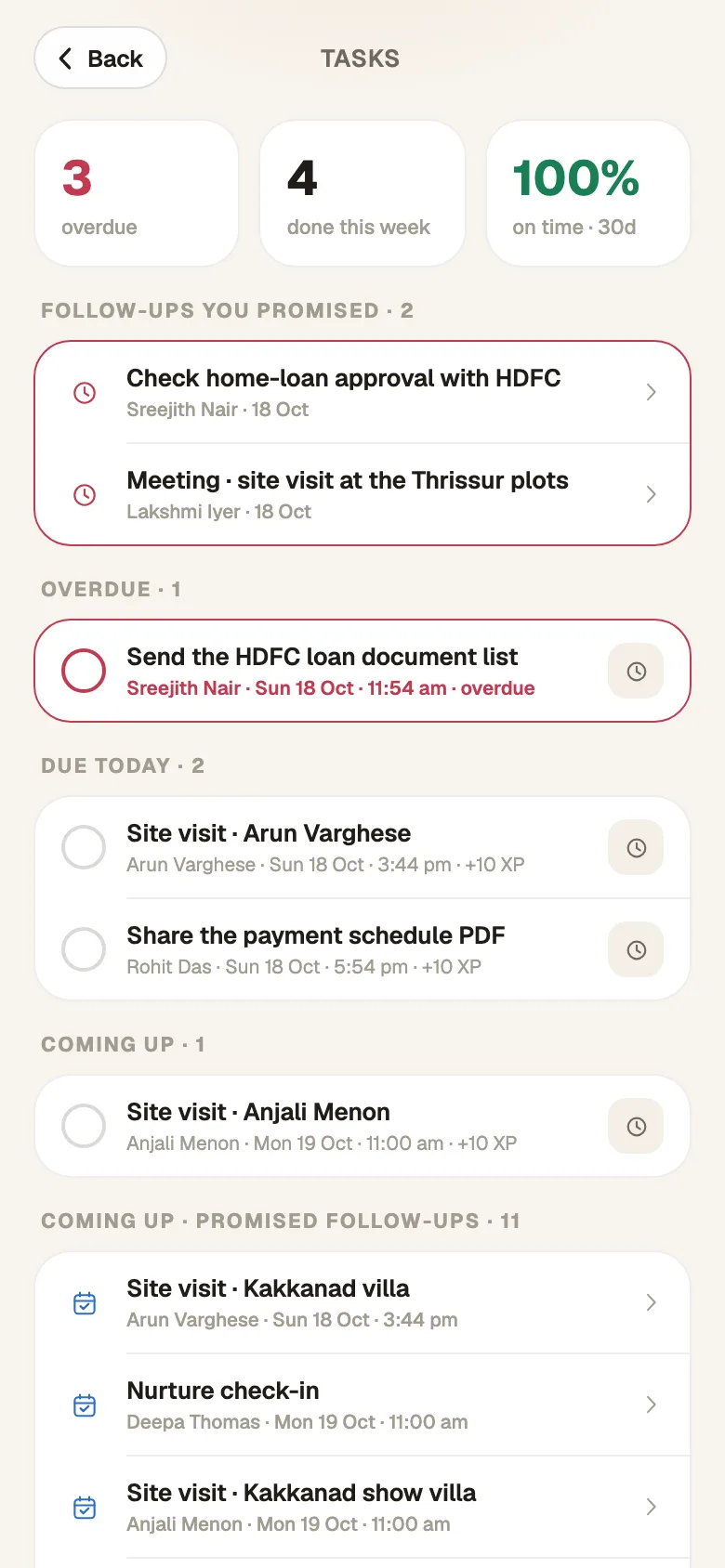
Bad signal? Keep working.
Captures, notes and outcomes save on the phone ('Saved on this phone — it'll sync…') and sync on their own when the connection returns.
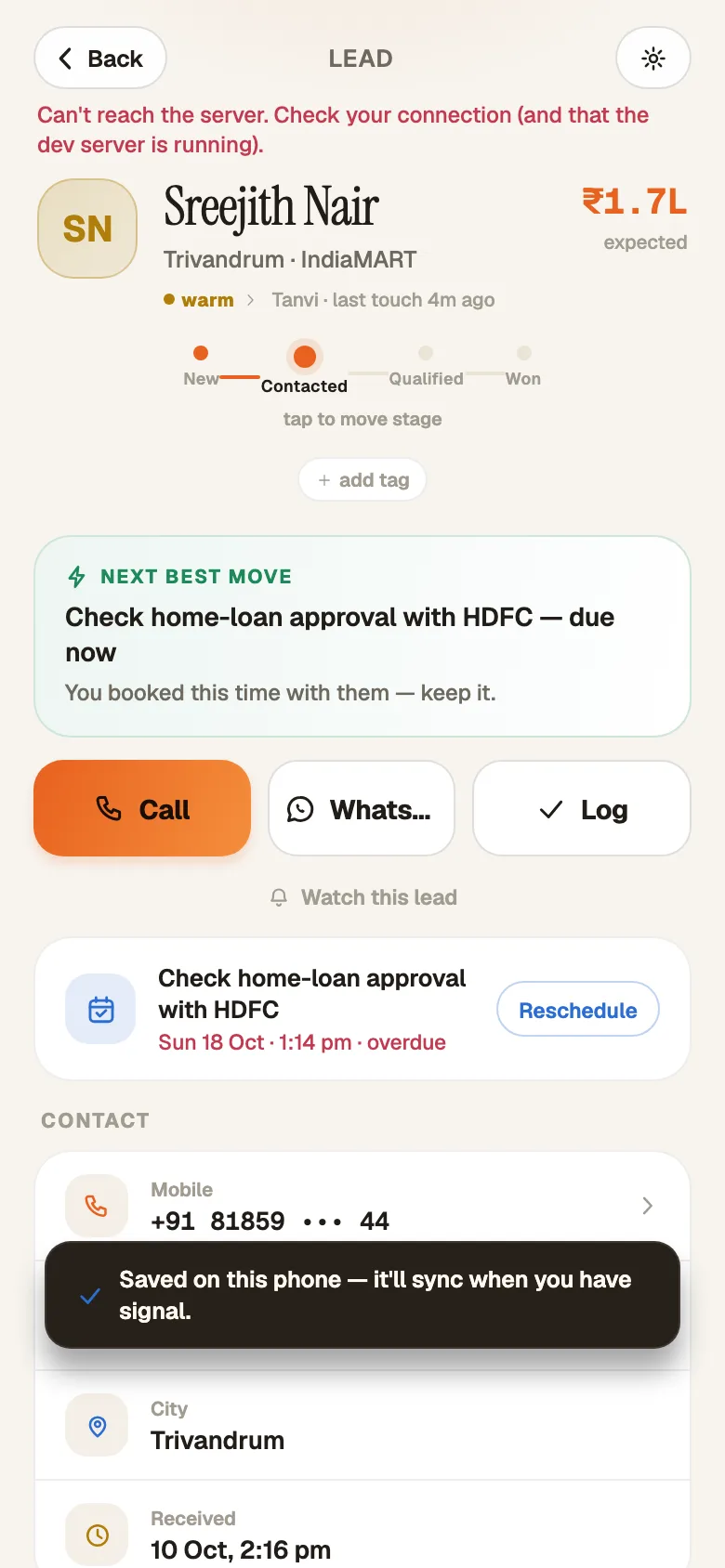
Also on the phone
- 'New lead': a walk-in in two fields
- 'Reassign this lead'
- 'Watch this lead'
- 'Add a note'
- 'Add a task'
- 'Move stage'
- 'Restore' a lead from junk
- Parked leads from the no-answer ladder
- 'Verify & sign in' for 2FA
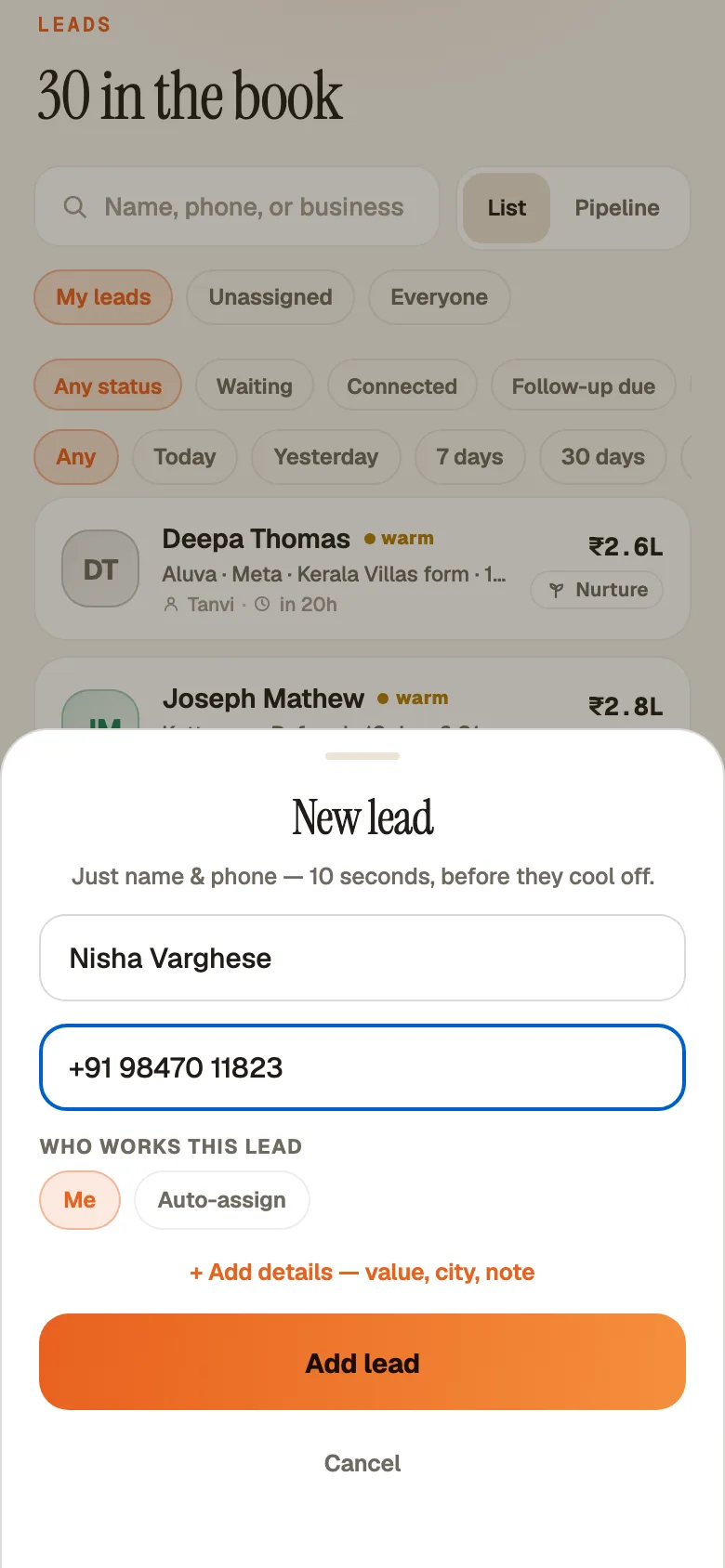
For managers
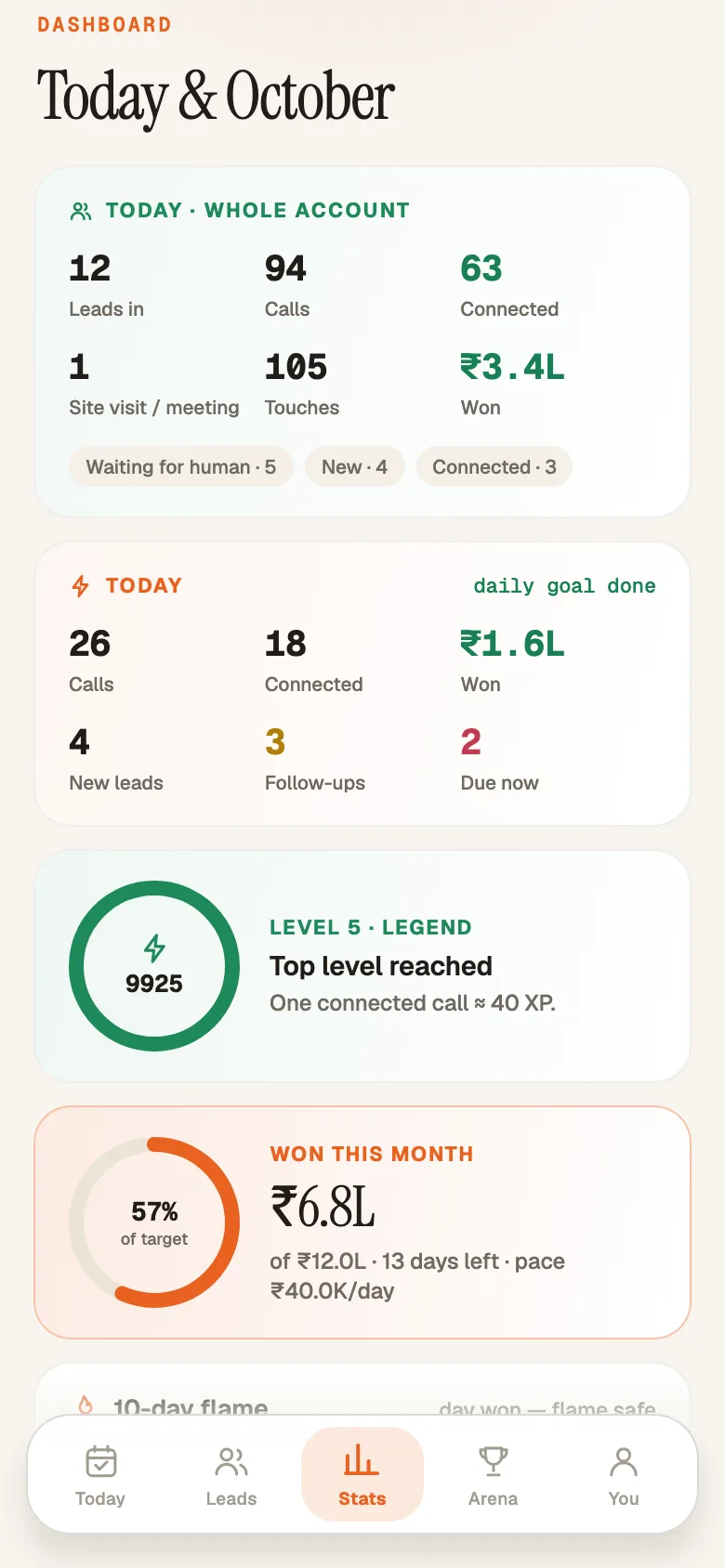
The same board, in every pocket.
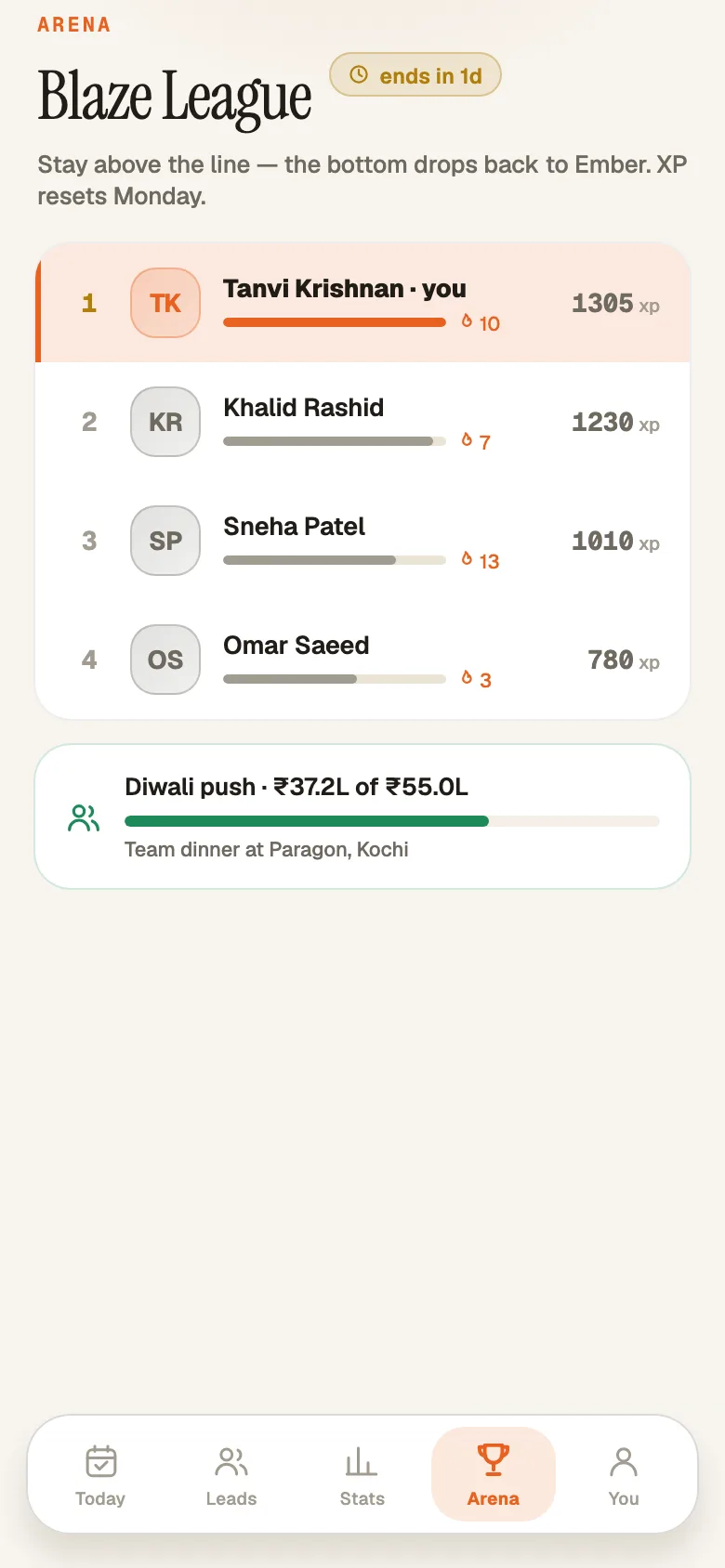
Team stats, streaks and the Arena leaderboard on the phone. Assign a captured lead to any teammate. Every action lands on the lead's timeline exactly as it does on the web.
From invite to first call in six steps.
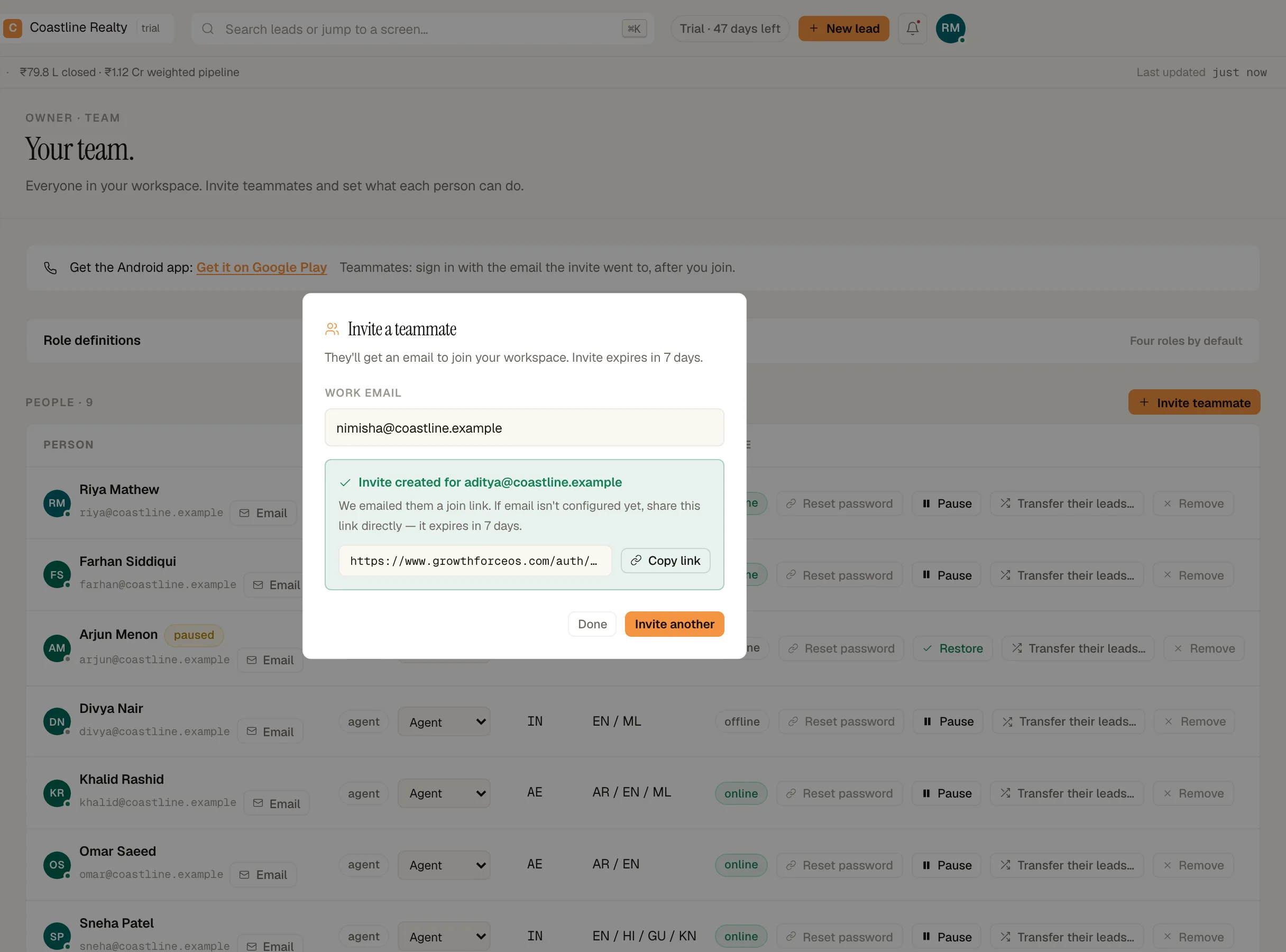
Owner: Team › 'Invite teammate' › 'Send invite'.
Rep: open the email › 'Join the team' › set a password.
Install 'GrowthForceOS — Sales CRM' from Google Play.
Sign in with the same email and password. If 2FA is on: 'Verify & sign in'.
Allow notifications so new leads and meetings reach you.
Work Today top-down, and log every call in the sheet.
Android app FAQ
Is there an iPhone app?
Not yet. iPhone users work from the web app in Safari.
Which countries?
On Google Play in India and the UAE.
Can reps sign up in the app?
No. The workspace owner invites them from the web app.
Is it a separate login?
No. It's the same email and password as the web.
Does the app record calls?
No.
We used an old APK. How do we switch?
Open the old app online so anything saved on the phone syncs, uninstall it, then install from Google Play. The Play version can't install over a side-loaded one.
Don't have a workspace yet?
No card · 20 seats · 25,000 leads a month · Nothing switches off on day 60