Owner / developer · 6 min read
Send your website form leads (custom webhook)
What you'll get
POST JSON from your form's backend to your Custom webhook URL. Field names are matched loosely.
Before you start
- Owner sign-in on the web, to switch the card on.
- A developer who can change your form's server code, or a form tool that posts JSON from its own servers.
- The field names your form sends.
- Who
- Owner / developer
- Read time
- 6 minutes
Step 1: Switch on the Custom webhook card
Open Setup › Integrations. Under 'Integration library', find 'Custom webhook', click 'Enable', then 'Copy URL'.
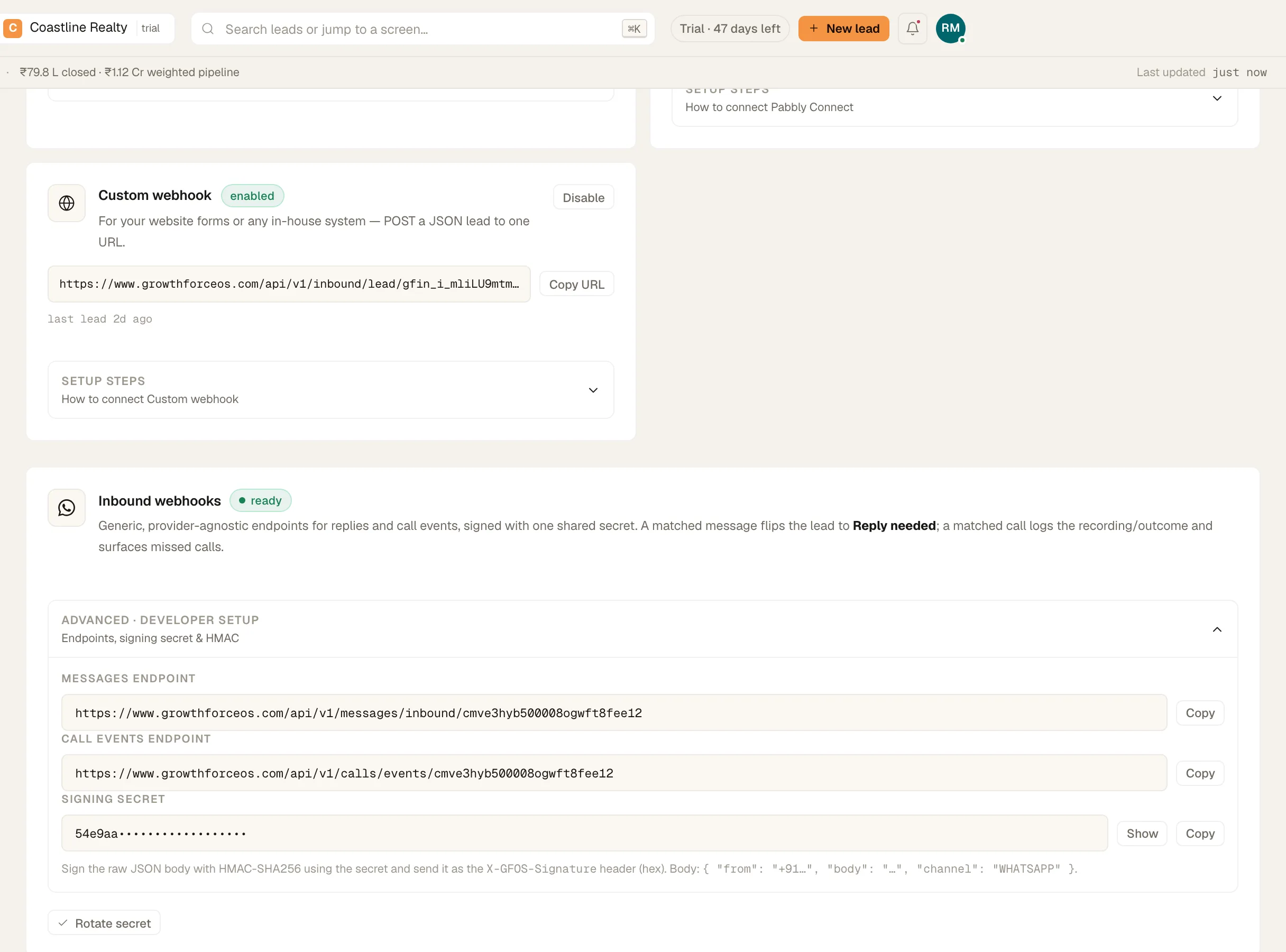
- Pin 1: 'Copy URL'
The Custom webhook card and the signing secret. Demo workspace. Step 2: Post from your server, not the page
The URL is the credential. Anyone who has it can add leads. Keep it in your server code or your form tool's settings, never in JavaScript that runs in a visitor's browser.
Step 3: Send the lead as JSON
POST a JSON body of up to 32 KB. Keys are matched loosely and ignore case: name, full_name, or first_name with last_name; phone, mobile or whatsapp, which is required; email; city; company; website; note, message or requirement; and value or budget. A key that matches one of your custom lead fields fills it in too.
{ "full_name": "Khalid Rashid", "phone_number": "+971 50 000 0218", "email": "khalid@example.com", "city": "Dubai", "message": "2BHK, ready to move", "budget": "15,00,000" }Step 4: Read the reply
A new lead returns status 201. A phone number that's already in your book returns 200 and updates that lead instead of doubling it. Both replies carry the lead's publicId and a duplicate flag. A body without a phone number returns 400.
If something's off
Can I sign requests with X-GFOS-Signature?
Not for leads. The signing secret on the 'Inbound webhooks' card covers the message and call-event endpoints only. The lead URL is checked by its token, so keep it server-side.
The URL leaked. What do I do?
Click 'Disable' on the 'Custom webhook' card. The URL stops accepting leads straight away. Enabling the card again brings back the same URL, so message us from Workspace › Help & support before you switch it back on.
Leads arrive with a blank name.
No name key matched, so the lead is called Lead from Custom webhook. Send name, full_name, or first_name and last_name.
Try GrowthForceOS
Trying GrowthForceOS? 60 days free, no card.
No card · 20 seats · 25,000 leads a month · Nothing switches off on day 60