Owner / Manager · 4 min read
Bring your existing leads in (CSV)
What you'll get
Import a spreadsheet or another CRM's export. Every row is deduplicated by phone and checked for junk, like a live lead.
Before you start
- Owner or manager sign-in on the web. Reps can't import.
- A CSV file whose first row holds the column names, with at least name and phone columns.
- Who
- Owner / Manager
- Read time
- 4 minutes
Step 1: Get the columns right
Download your sheet or your old CRM's export as a .csv file. There's no mapping screen: columns are matched by their header. Recognized headers include name, full name, phone, mobile, email, city, company, website, source, notes, budget, timeline, interest and tags. A header that matches one of your custom lead fields fills it. Other columns are ignored. Import up to 1,000 rows at a time.
Step 2: Import the file
Open Leads › All leads and click 'Import CSV' in the toolbar. Choose 'Upload file', or paste the rows straight in, then click 'Import leads'.
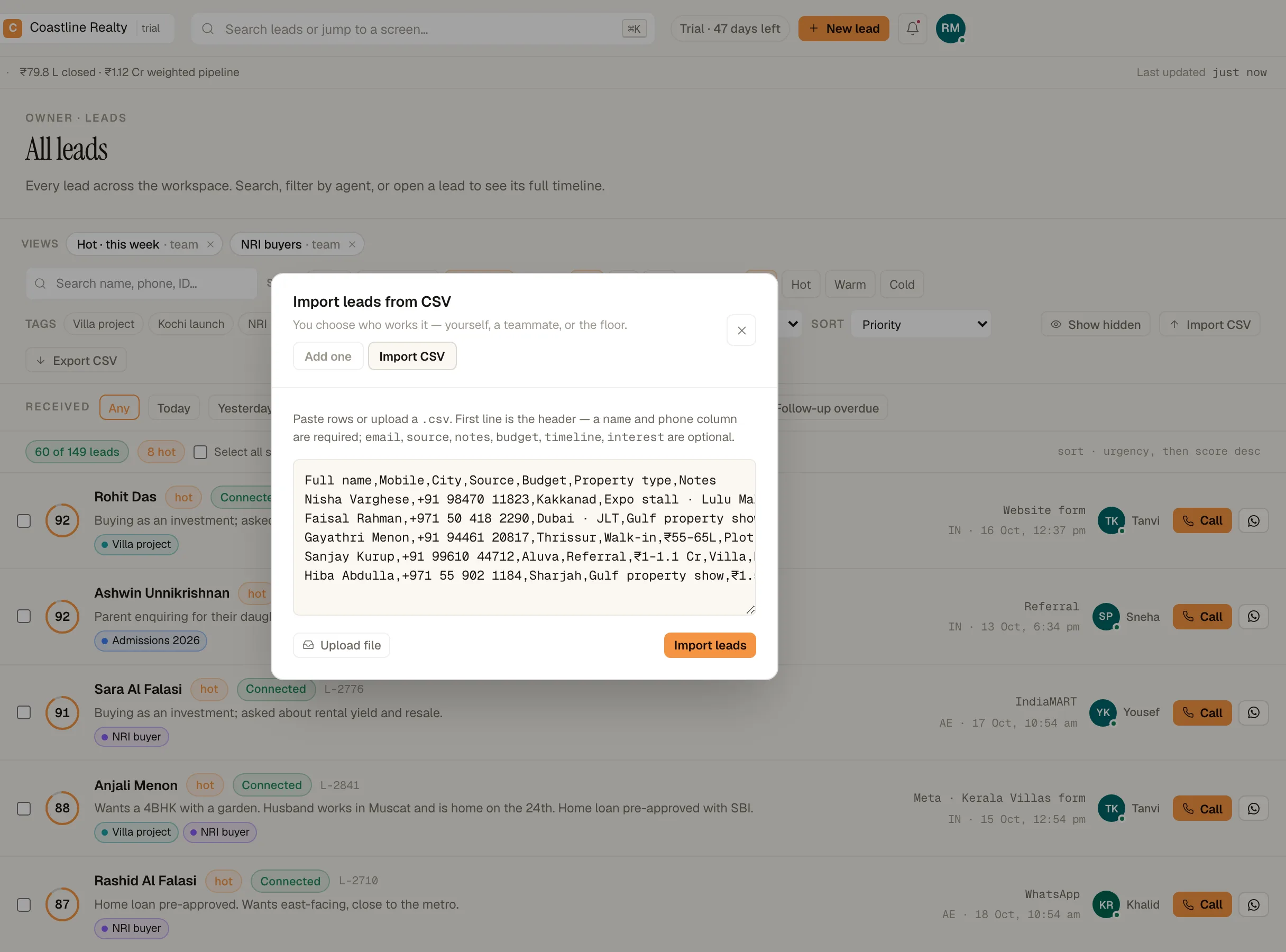
Import CSV: paste or upload a file with a header row. Demo workspace. Step 3: Read the summary
You get a count of rows created, duplicates and invalid rows, each invalid one with its reason. Every row goes through the same checks as a live lead: a phone number already in your book updates that lead, spam-looking rows are set aside as junk, and consent opt-outs are respected. Rows that miss a required field are kept and marked 'Incomplete'.
Step 4: Check what was set aside
Click 'Show hidden' in the leads toolbar to see junked rows. Open any real one and click 'Restore from junk'.
If something's off
The import says the CSV needs name and phone headers.
The first row must name the columns, and two of them must be name and phone (or an alias such as full name or mobile).
Do imported rows count toward my lead limit?
Yes. Every lead created in the month counts, imported or not. The trial allows 25,000 a month.
My file has more than 1,000 rows.
Split it into files of 1,000 rows or fewer and import them one after another.
Try GrowthForceOS
Trying GrowthForceOS? 60 days free, no card.
No card · 20 seats · 25,000 leads a month · Nothing switches off on day 60