Owner · 4 min read
Decide who gets each lead
What you'll get
Use the default round-robin, add ordered rules where the first match wins, and pause a rep who is on leave.
Before you start
- Owner sign-in on the web.
- Your team invited, so there's someone to route to.
- A rough idea of who should get which leads, if not everyone.
- Who
- Owner
- Read time
- 4 minutes
Step 1: Pick how a new lead gets an owner
Open Setup › Routing rules. Choose one of four modes. 'Manual': nobody is assigned until a manager routes the lead. 'Round-robin': each new lead goes to whoever in the pool has the fewest open leads. 'Open pool': the whole floor is notified and the first rep to call or message owns it. 'Custom rules': your own ordered rules. New workspaces start on 'Round-robin'.
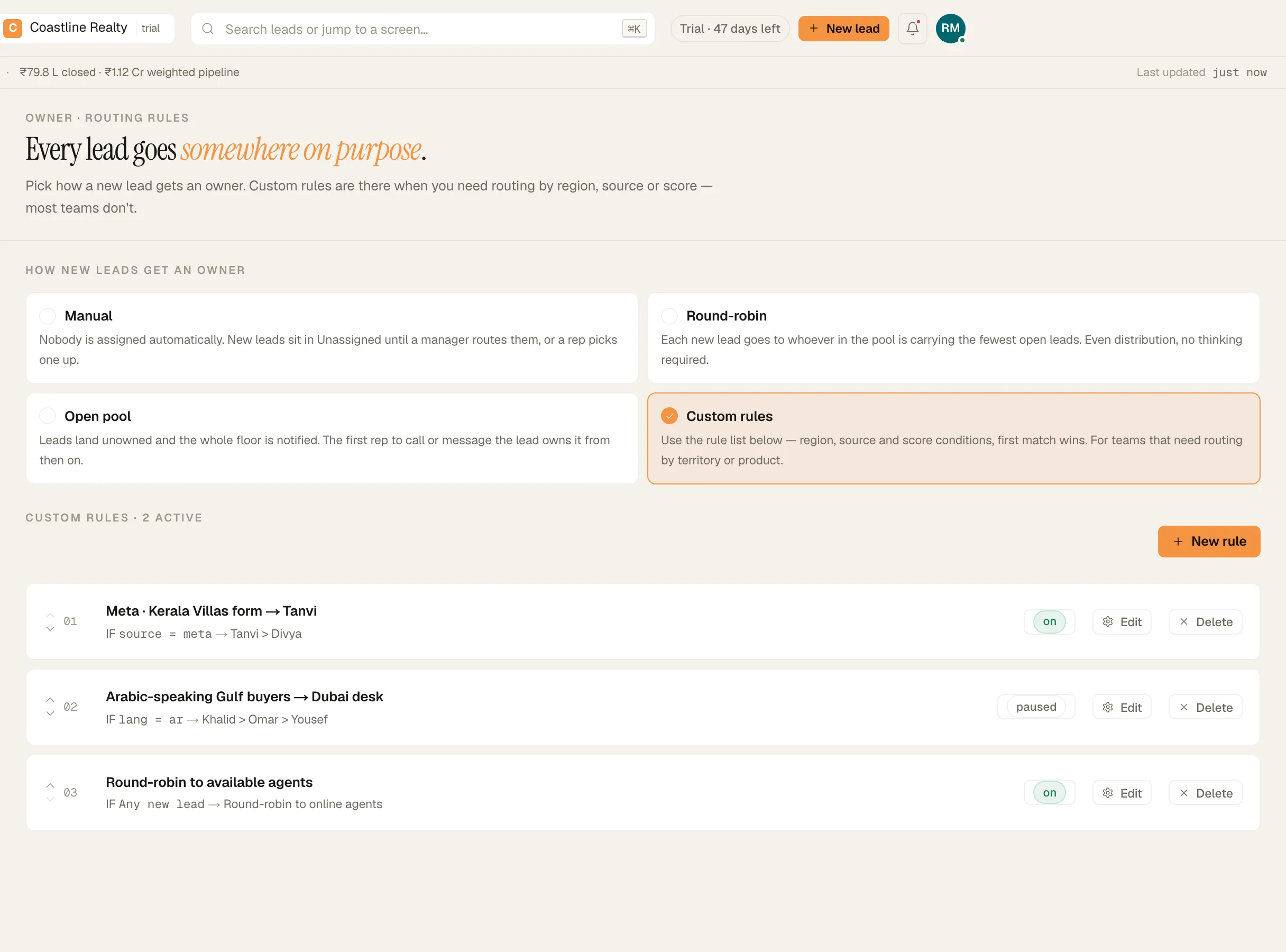
Routing rules: round-robin, ordered rules, one paused. Demo workspace. Step 2: Choose who is in the rotation
By default every agent is in the round-robin, including anyone who joins later. Tick specific people to send leads only to them. That's how you take a rep on leave out of the rotation, then tick them back in when they return. Untick everyone to go back to all agents.
Step 3: Add ordered rules
Switch the mode to 'Custom rules', then click 'New rule'. Give it a name, an IF condition and a route. A condition can test the source or the region, for example source = indiamart or region = AE. The route names teammates in fallback order, for example Tanvi > Khalid. Rules run top to bottom and the first match wins: use the up arrow ('Move up — first match wins') to reorder, and 'Pause this rule' to switch one off without deleting it.
Routing rules: round-robin, ordered rules, one paused. Demo workspace. Step 4: Know what happens next
The assigned rep gets a push on their phone that reads 'Lead assigned to you: …' with the lead's name. When someone adds a lead by hand, they choose the owner themselves: 'Me — I keep this lead', a named teammate, or 'Auto-assign to the floor'.
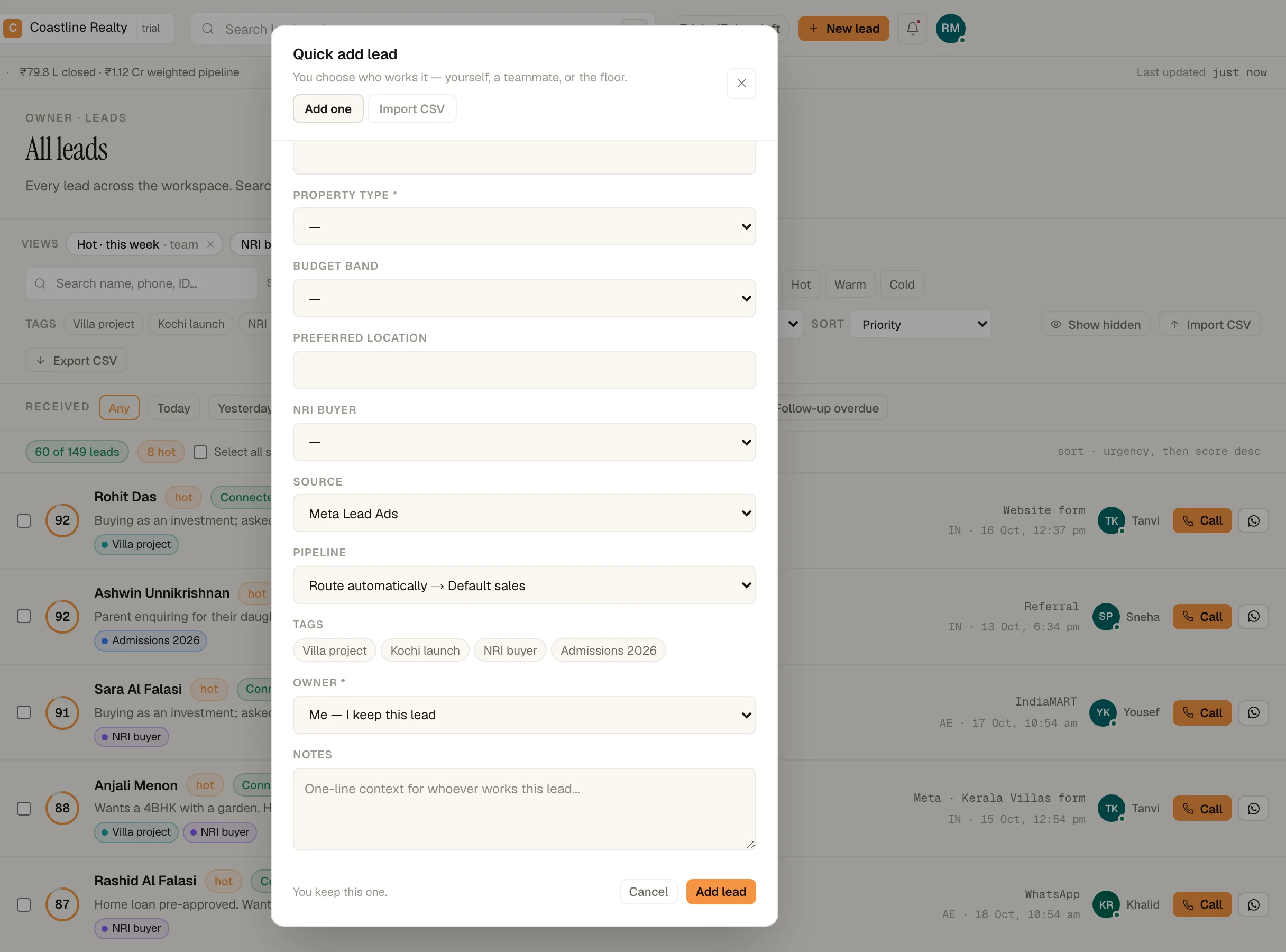
'New lead' asks who works the lead. Demo workspace.
If something's off
My rules don't seem to do anything.
Rules only run in 'Custom rules' mode. The heading above the list says when they're not in use with the mode you picked.
A rule never matches.
Conditions use source keys, such as indiamart, google, pabbly, zapier or webhook, and two-letter region codes. A clause the rule can't read makes the whole rule skip, so a lead is never assigned on a half-read condition.
Should I use Pause on the Team screen for leave?
Only if they shouldn't sign in at all. 'Pause' on Team › Team turns their access off and takes them out of the rotation. Their leads stay assigned. For leave, narrow the round-robin pool instead.
Try GrowthForceOS
Trying GrowthForceOS? 60 days free, no card.
No card · 20 seats · 25,000 leads a month · Nothing switches off on day 60