Owner · 4 min read
Write WhatsApp templates for your reps
What you'll get
Write the one-tap messages reps send from their own WhatsApp, and know what gets logged.
Before you start
- Owner sign-in on the web.
- Three to five messages your best rep already sends by hand.
- Who
- Owner
- Read time
- 4 minutes
Step 1: Open WhatsApp templates
Open Setup › WhatsApp templates. These are the one-tap messages your reps see on their phone. Your workspace starts with a few; you can keep up to 15.
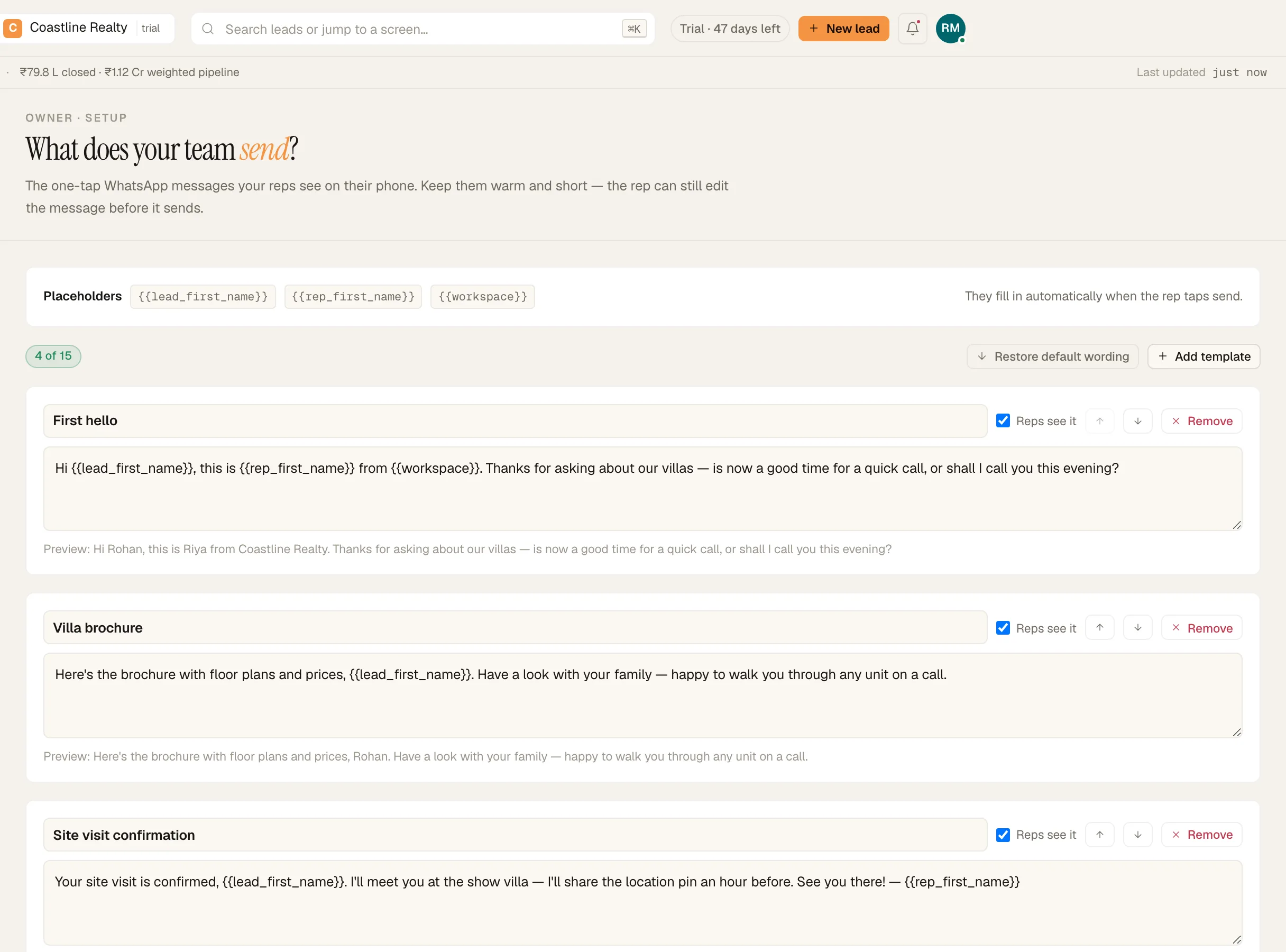
WhatsApp templates written by the owner. Demo workspace. Step 2: Write three to five
Click 'Add template'. Give it a name the rep will recognize in the list, then write the message. Cover the moments that repeat: the first touch, sending the brochure, confirming a site visit, and the message after a no answer. Keep them short and warm. Placeholders fill in when the rep taps send:
{{lead_first_name}} the lead's first name {{rep_first_name}} the rep's first name {{workspace}} your company nameStep 3: See what reps see
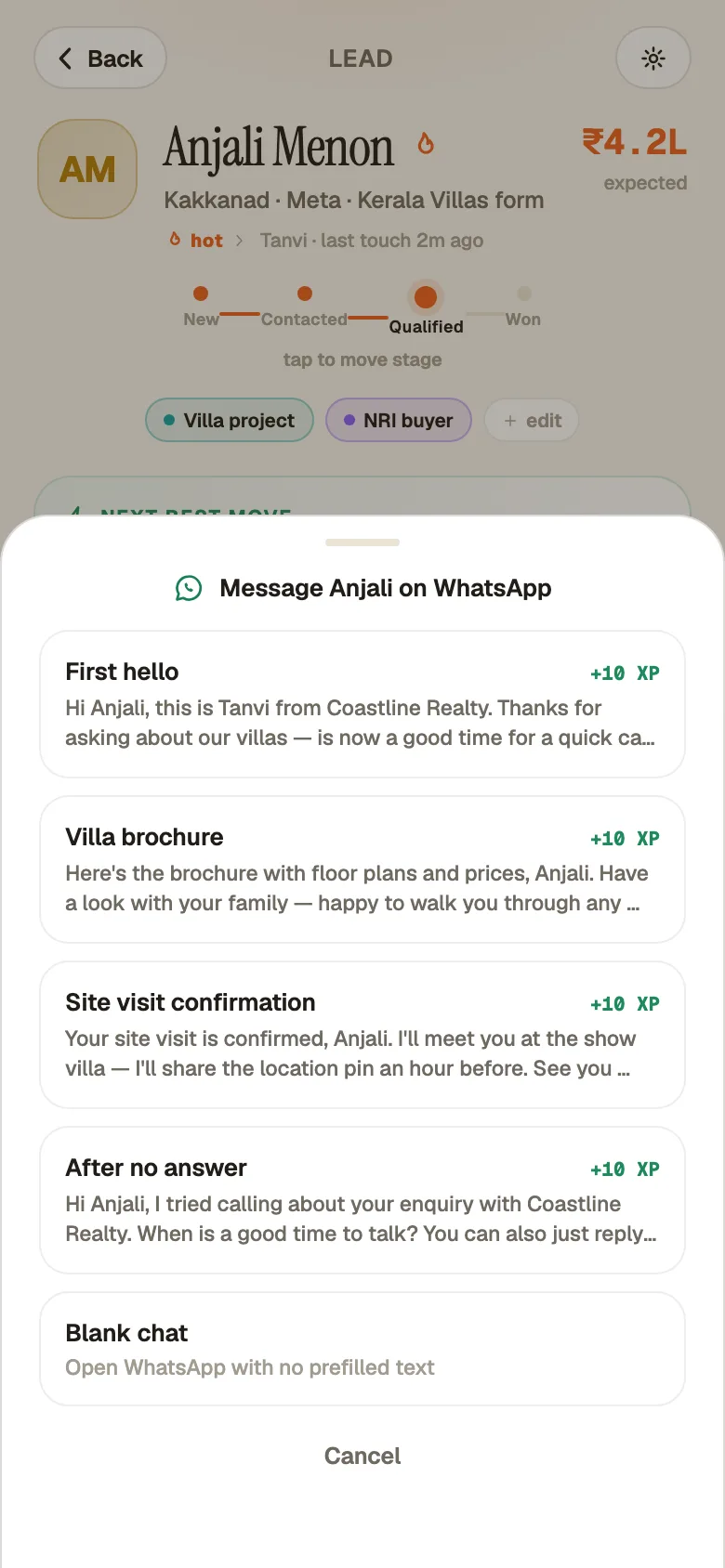
On a lead in the Android app, the 'WhatsApp' row reads 'Open chat · templates ready'. The rep taps a template and their own WhatsApp opens with the message filled in. They can still edit it before sending.
Step 4: Know what gets logged
The lead's timeline records that a WhatsApp went out and which template was used. The message text itself isn't stored, because it's sent from the rep's own WhatsApp, one chat at a time.
What your reps see
The WhatsApp sheet on a lead, with your templates listed.
If something's off
Are these WhatsApp-approved templates?
No. They're your own message presets. They open in the rep's own WhatsApp, one chat at a time, so there's nothing to approve and each message goes to one person.
A rep changed the wording before sending. What shows on the lead?
The template's name. The edited text stays in their WhatsApp chat.
Try GrowthForceOS
Trying GrowthForceOS? 60 days free, no card.
No card · 20 seats · 25,000 leads a month · Nothing switches off on day 60