Owner · 5 min read
Owner: read revenue, forecast and source ROI
What you'll get
Find closed revenue from won deals, the forecast and its coverage, which source pays, and why deals are lost.
Before you start
- Owner sign-in on the web.
- Win probabilities set on your stages, and monthly spend typed in for paid sources.
- Who
- Owner
- Read time
- 5 minutes
Step 1: Start on Overview
Open Dashboard › Overview for the workspace's key numbers at a glance.
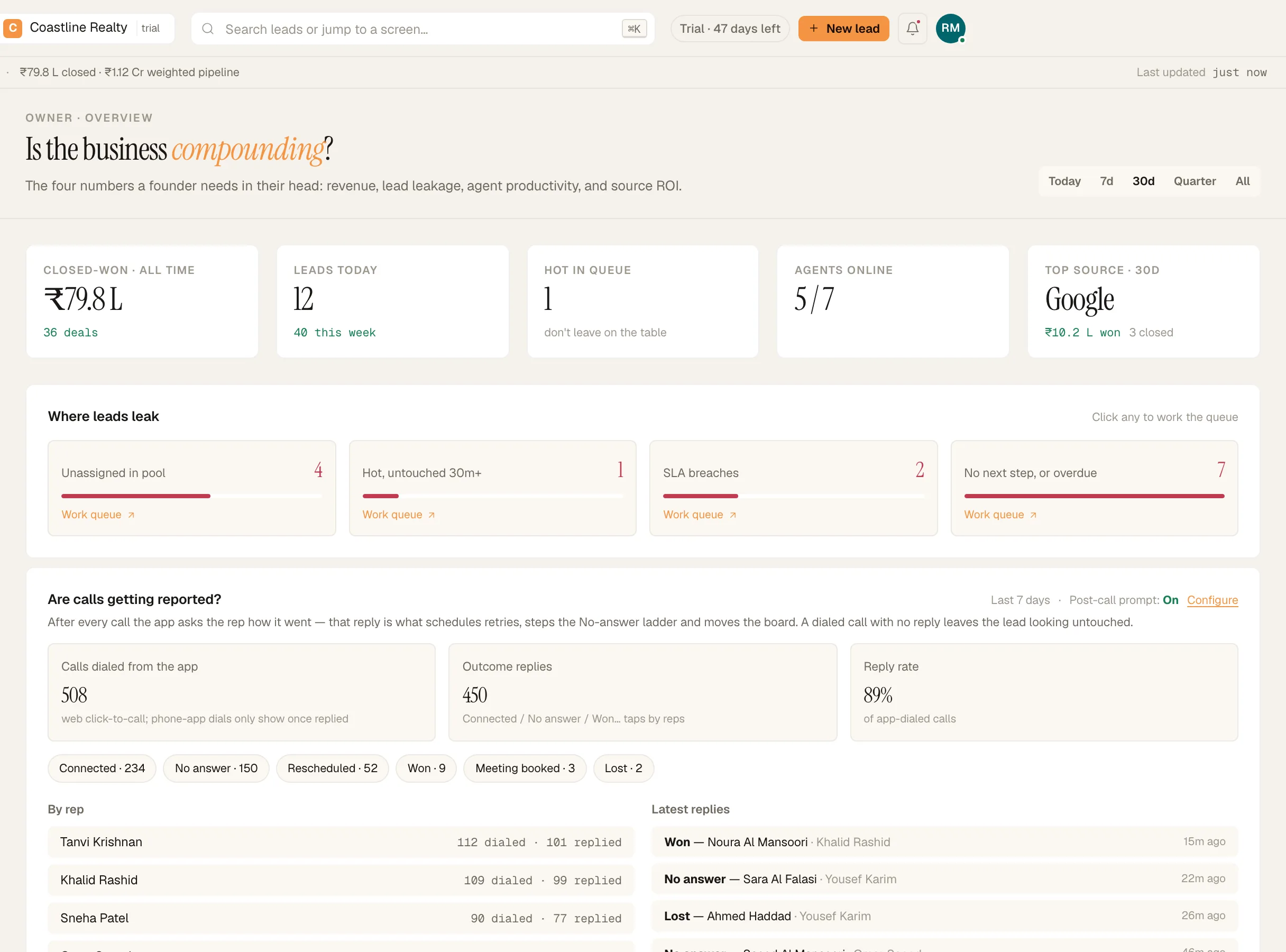
Owner Overview. Demo workspace. Step 2: Read Revenue & forecast
Open Dashboard › Revenue & forecast. The ledger lists closed-won deals, repeat purchases included. The forecast counts each open deal at its stage's win probability, and says how many valued deals it covers. Deals in a stage with no win probability aren't counted: set one in Setup › Pipelines.
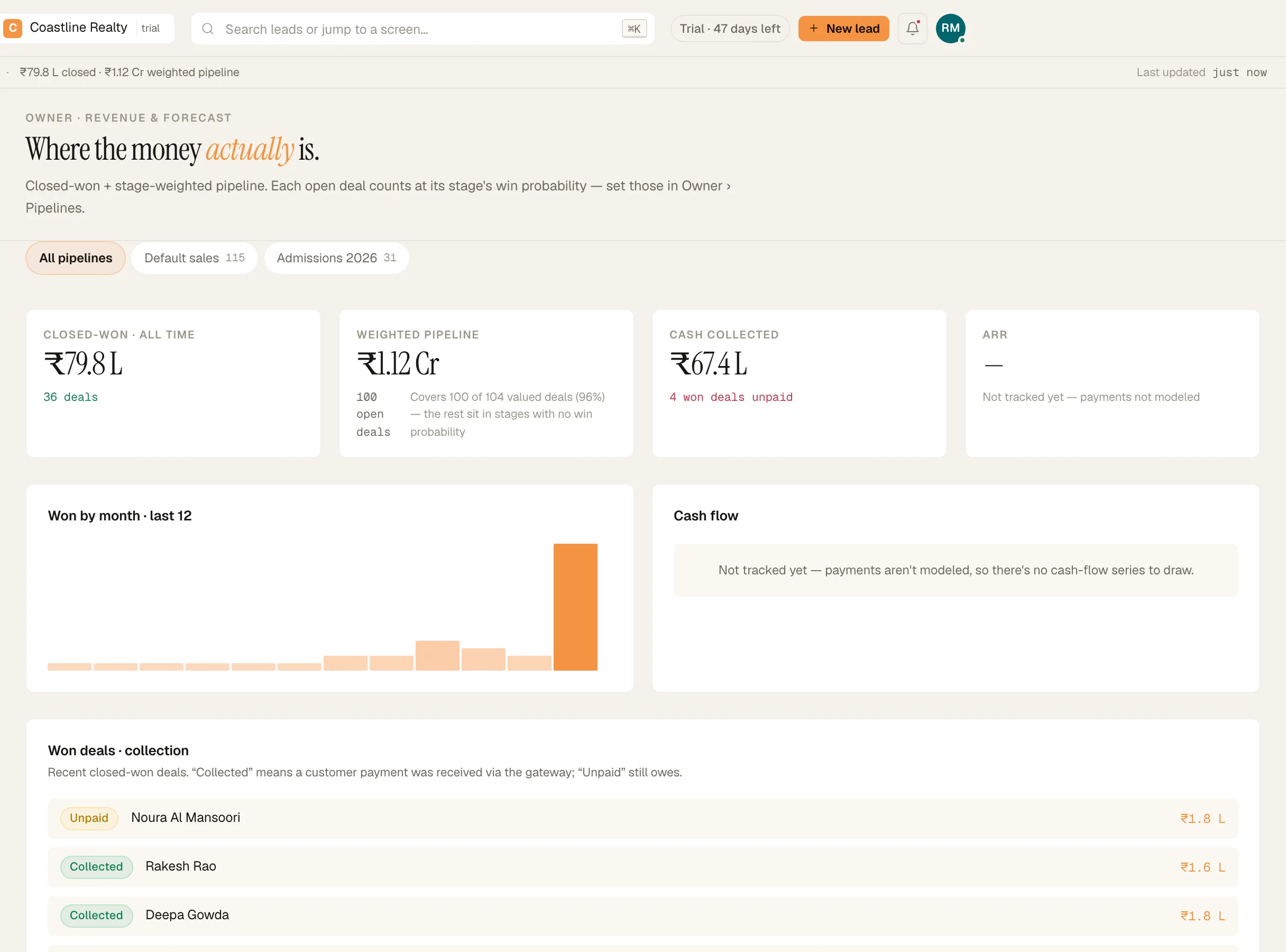
Revenue & forecast: the won-deal ledger and its coverage. Demo workspace. Step 3: See which source pays
Open Dashboard › Source ROI. It needs the spend you type per source in Setup › Lead sources under 'Monthly spend', then 'Save'. Without spend, a source shows leads and revenue but no return.
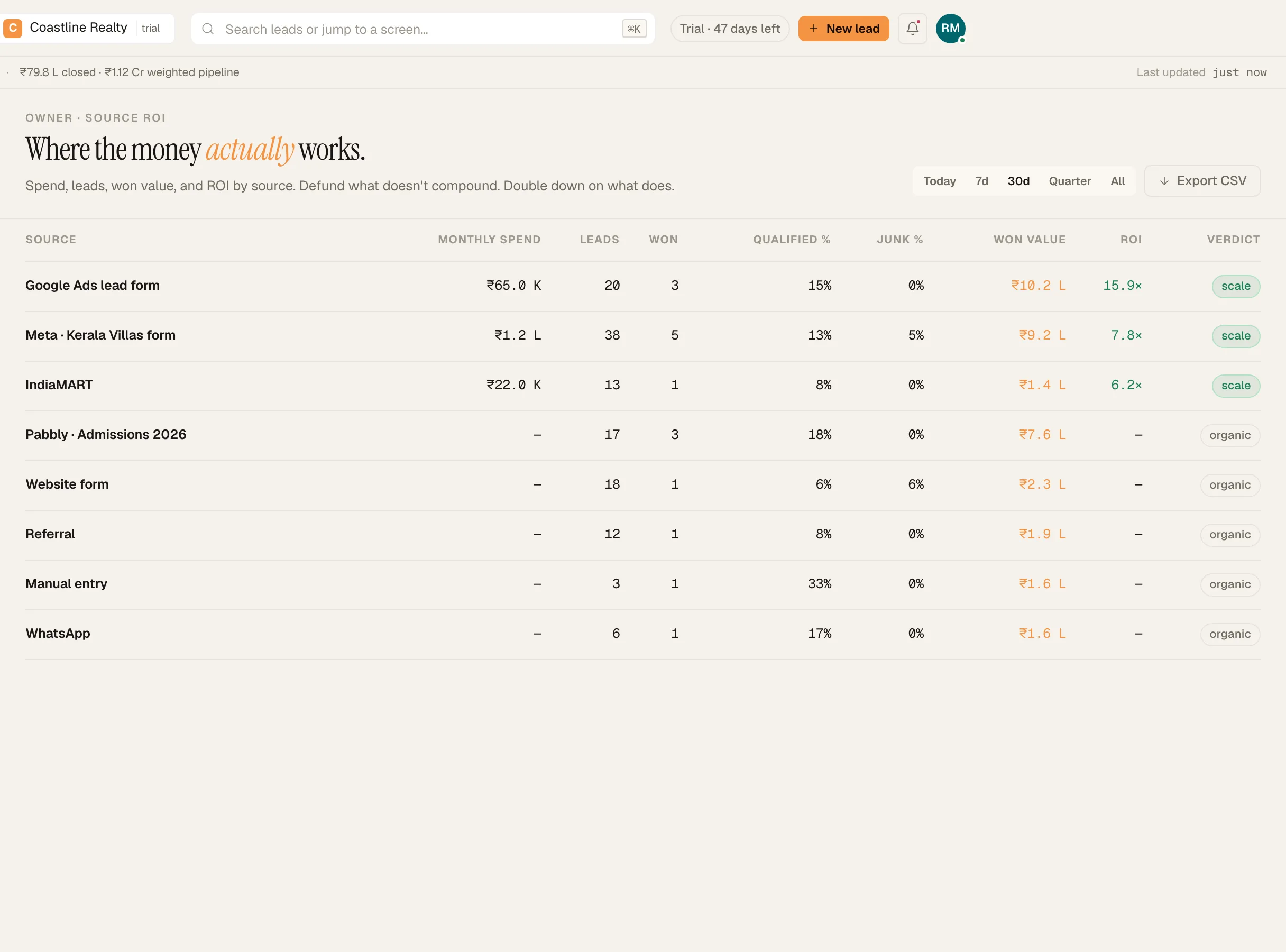
Source ROI against the monthly spend you enter. Demo workspace. Step 4: Check conversion
Open Dashboard › Conversion rates to see where every lead sits right now. Click any band to see the leads in it.
Step 5: Learn why deals are lost
Open Dashboard › Lost reasons. Reasons are tagged by your team when they close a lead as lost. Read it for trends, not one-offs.
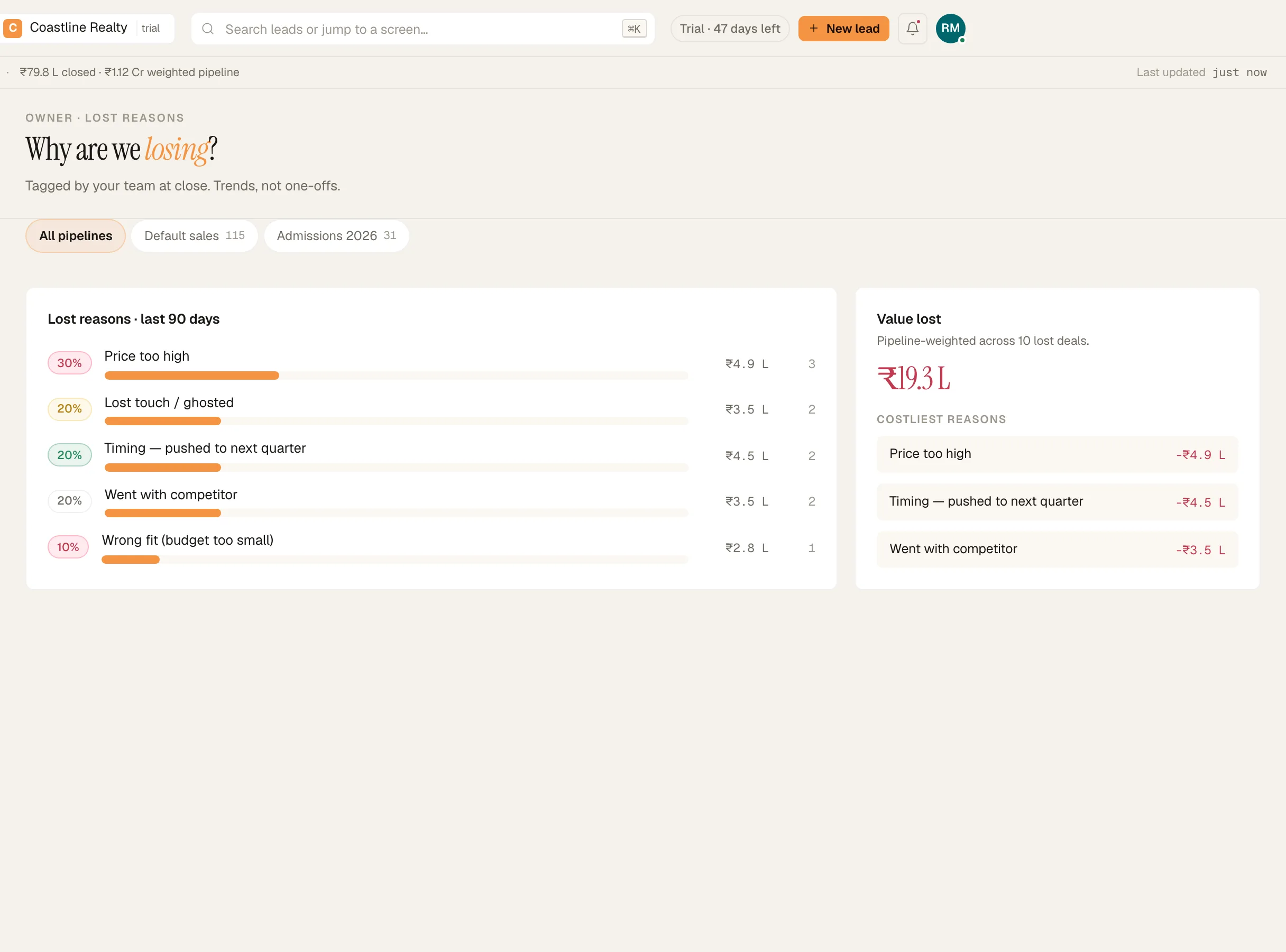
Lost reasons, recorded at close. Demo workspace. Step 6: Take the numbers with you
'Export CSV' downloads Source ROI. The leads list and the audit log have their own 'Export CSV'.
If something's off
Source ROI shows no return for Meta.
Spend isn't read from the ad platform. Type the month's spend for that source in Setup › Lead sources.
Revenue looks low.
Revenue counts deals marked won, with the value entered at close. A deal won outside the app needs to be marked won on its lead.
Try GrowthForceOS
Trying GrowthForceOS? 60 days free, no card.
No card · 20 seats · 25,000 leads a month · Nothing switches off on day 60