Owner · 4 min read
Create your workspace
What you'll get
Sign up, pick the country you sell in, and land on Overview with your pipeline, sources and round-robin rule already in place.
Before you start
- You're the owner: the person who sets the workspace up and later agrees the plan with our team.
- Your work email and a password you'll keep.
- A laptop. Setup screens are on the web; your reps work from the Android app.
- Who
- Owner
- Read time
- 4 minutes
Step 1: Fill in Create your workspace
Go to the sign-up page and fill in 'Company name', 'Your name', 'Work email' and 'Password'. Then choose 'Country you sell in': it fills in 'Timezone' and 'Currency' for you. Click 'Create workspace'. No card is asked for, and your 60-day trial starts now.
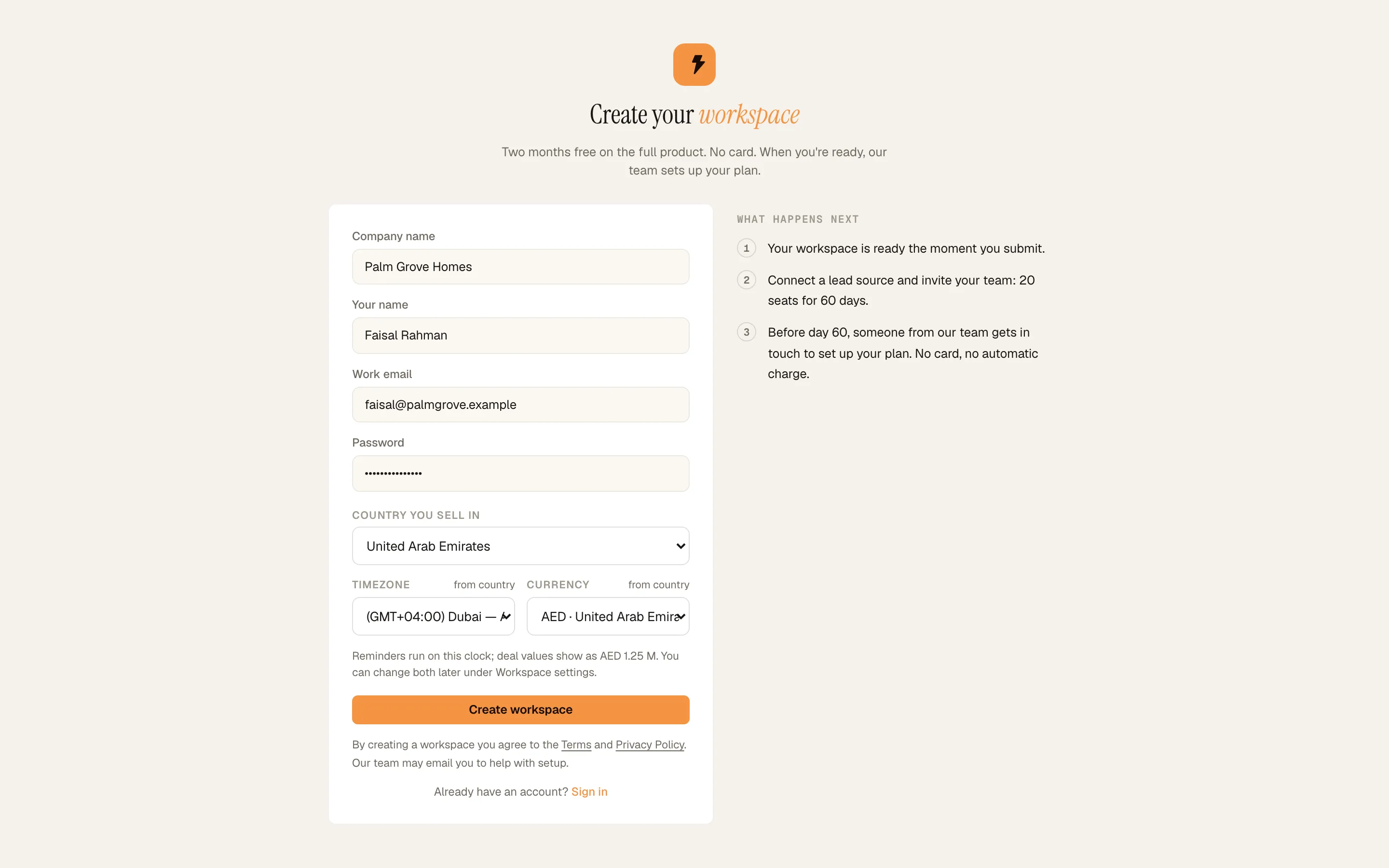
Create your workspace: country, timezone and currency. Demo workspace. Step 2: Read the Get set up card
You land on Dashboard › Overview. The 'Get set up' card lists four jobs and counts them, starting at 0 of 4 done: 'Invite your team', 'Connect a lead source', 'Add your first lead' and 'Set your no-answer ladder'. Each one ticks itself off when the work is done, so you don't have to.
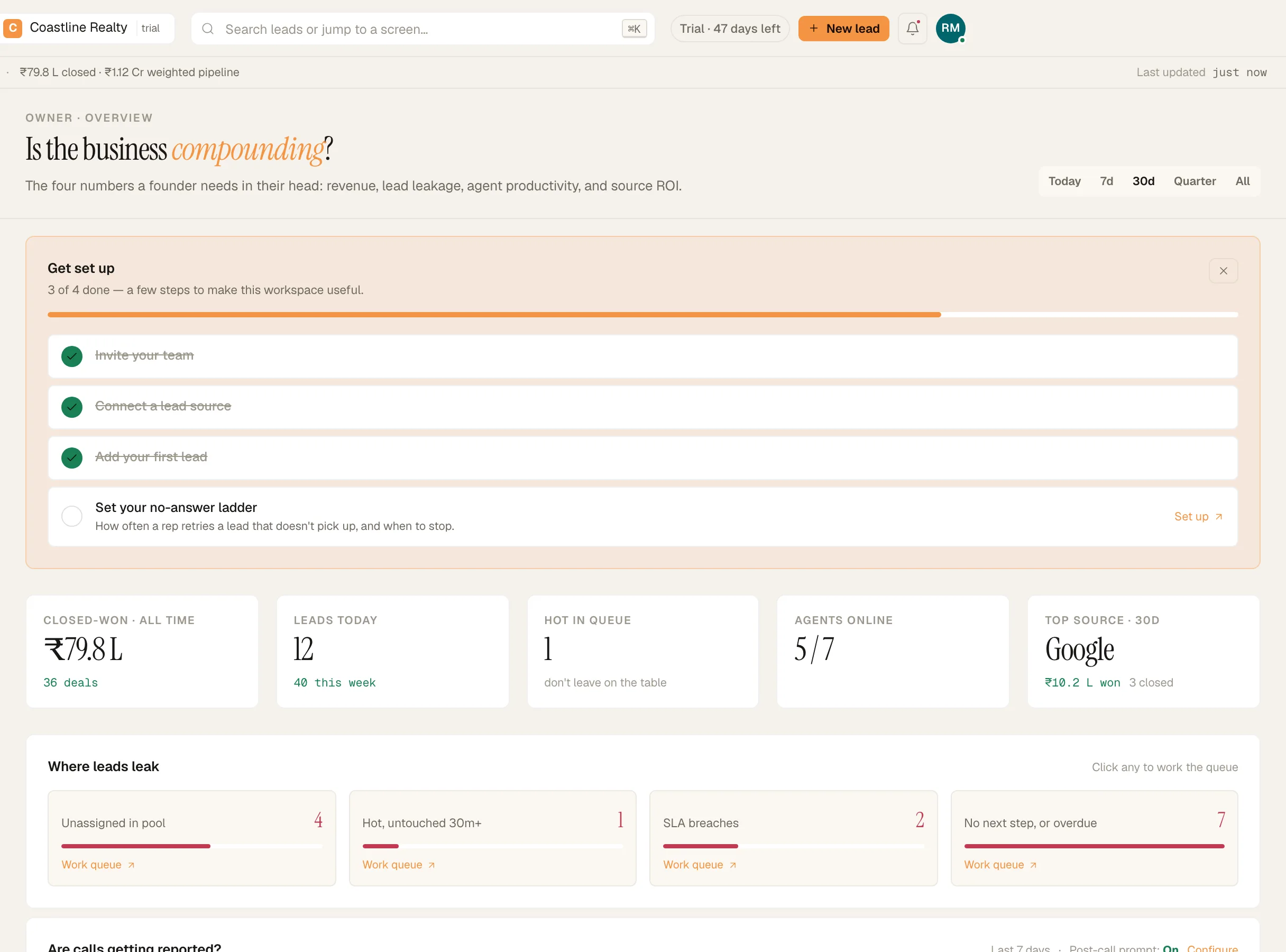
Owner Overview with the 'Get set up' checklist. Demo workspace. Step 3: See what's already there
Your first pipeline is 'Default sales': New, Contacted, Qualified, Won and Lost. New carries a 15-minute SLA. Six lead sources exist already: 'Manual entry', 'Website form', 'Meta Lead Ads', 'Google Ads', 'WhatsApp' and 'Referral'. In Setup › Routing rules, new leads start on 'Round-robin', so each one goes to the agent with the fewest open leads.
Step 4: Add your first lead
Click 'New lead' in the top bar. Type a name and a phone number. Under 'Owner *', choose who works it: 'Me — I keep this lead', a teammate by name, or 'Auto-assign to the floor'. Click 'Add lead'. The lead shows up in Leads › All leads with its owner.
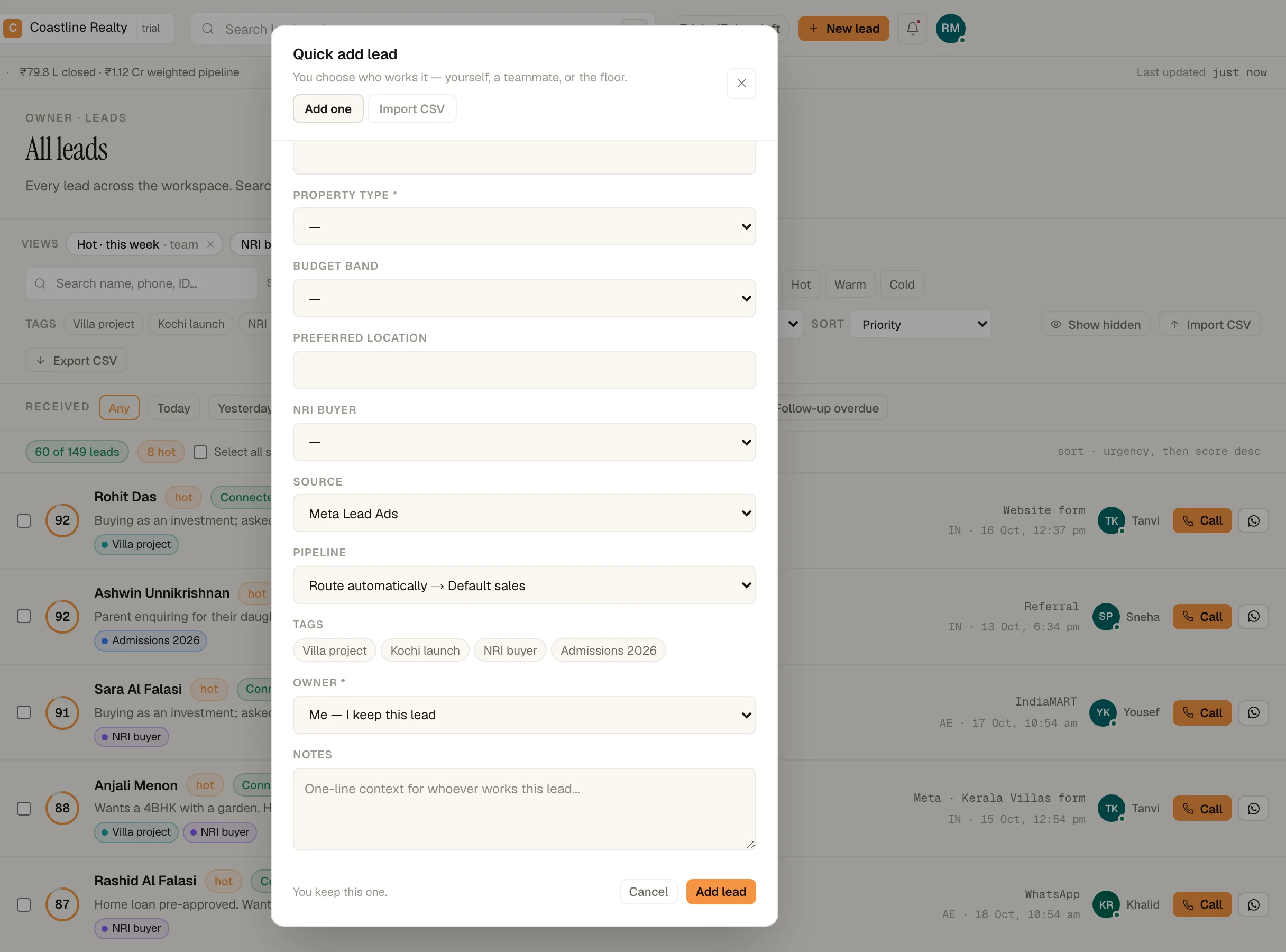
'New lead' asks who works the lead. Demo workspace.
If something's off
I never got a verification email.
You don't need it to start. The workspace opens straight away. Check your spam folder later, or message us from Workspace › Help & support.
I picked the wrong country.
Change the timezone and currency in Workspace › Region, timezone & currency. Reminders and deal values follow the new settings.
Can I add more people now?
Yes. The trial gives you 20 seats. The invite guide shows how seats are counted.
Try GrowthForceOS
Trying GrowthForceOS? 60 days free, no card.
No card · 20 seats · 25,000 leads a month · Nothing switches off on day 60