Owner / Manager · 3 min read
Invite your team
What you'll get
Send invites by email or link, choose roles, and know how seats are counted.
Before you start
- Owner or manager sign-in on the web.
- Each teammate's work email.
- Who should be a manager and who should be an agent.
- Who
- Owner / Manager
- Read time
- 3 minutes
Step 1: Send the invites
Open Team › Team. The page is headed 'Your team.' Click 'Invite teammate', type their 'Work email' and click 'Send invite'. Click 'Invite another' to keep going. Each invite is a real email that expires in 7 days. Managers invite from Team › Agents with 'Invite agent'.
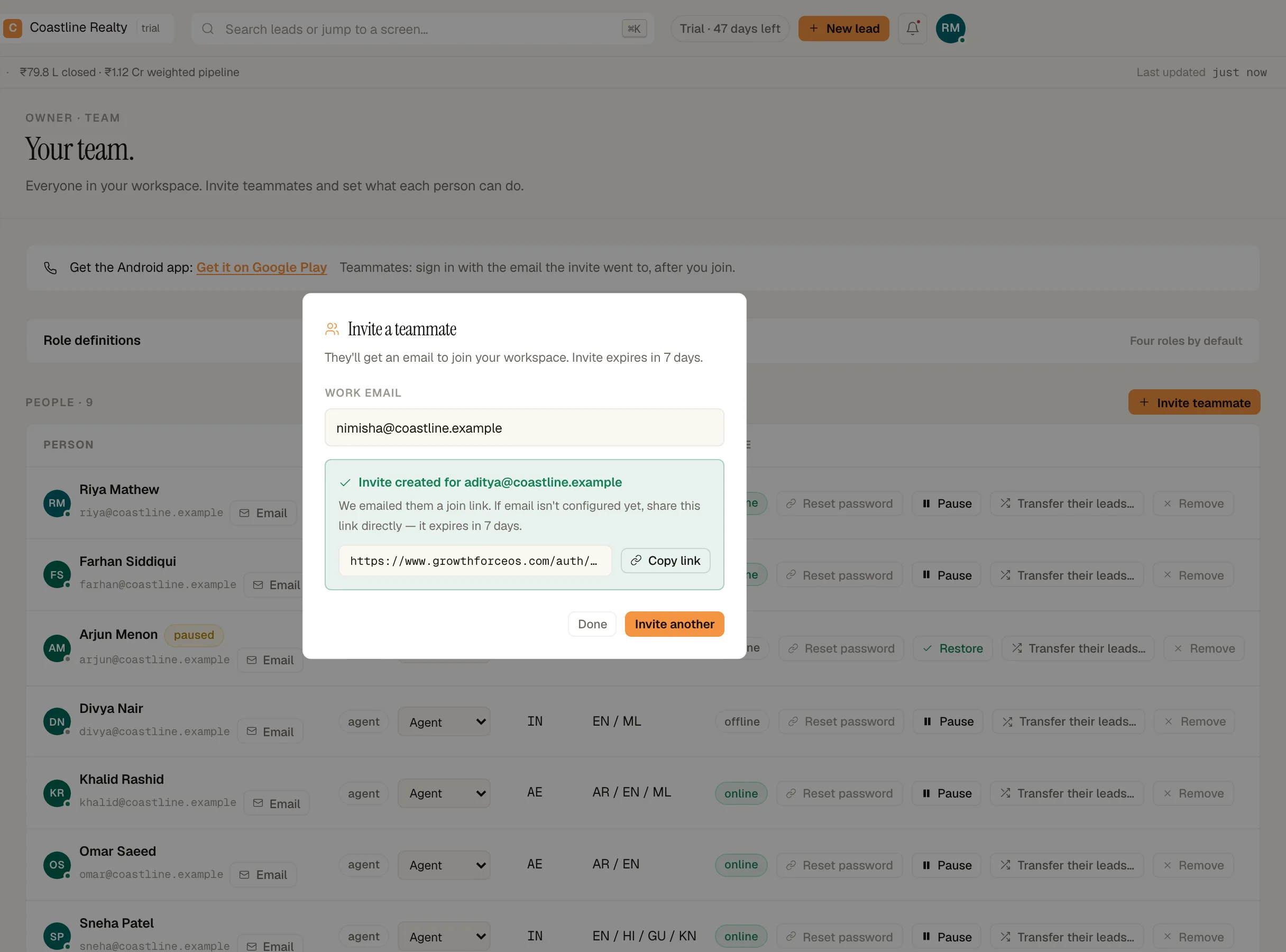
- Pin 1: 'Send invite'
Inviting a teammate from Team. Demo workspace. Step 2: Share the link if the email doesn't arrive
Under 'Pending invites', click 'Copy link' and send it on WhatsApp. Copying refreshes the invite, so any older link stops working.
Step 3: Set each person's role
New teammates join as 'Agent'. Once they've joined, change their role from the menu on their row: 'Owner', 'Manager', 'Agent' or 'Read-only'. Read-only people can look around but are never given leads.
Step 4: Know how seats are counted
Every teammate takes a seat, and so does every pending invite that hasn't expired. The trial has 20 seats.
Step 5: Send reps the app
The Team page carries the Play link: 'Get it on Google Play'. Tell reps to sign in with the email the invite went to, after they join. The rep guide walks them through it.
If something's off
The invite says no seats are left.
Pending invites hold seats until they expire or are accepted. Wait for an old invite to expire, or message us from Workspace › Help & support about more seats.
A rep signed in and sees no workspace.
They used a different email from the one invited. Ask them to sign out and sign in with the invited address.
Someone is leaving. What happens to their leads?
On their row, 'Pause' turns their access off and leaves their leads assigned. To hand their leads to someone else, use 'Transfer their leads…' on the same row.
Try GrowthForceOS
Trying GrowthForceOS? 60 days free, no card.
No card · 20 seats · 25,000 leads a month · Nothing switches off on day 60