Rep · 3 min read
Rep: log a call in two taps
What you'll get
After every call, pick what happened and when the next touch is, then Confirm.
Before you start
- The Android app signed in, or the web on a lead's page.
- Who
- Rep
- Read time
- 3 minutes
Step 1: Call from the lead
Tap 'Call now' on the Today top card, or 'Call' on a lead. The call goes out from your phone's dialer, or through Exotel if your workspace has it connected (India only).
Step 2: Pick what happened
When you come back to the app, the sheet opens on 'CALL ENDED · …' with the lead's name. Tap one outcome: 'Connected', 'No answer', 'Won', 'Lost' or 'Junk'. Your workspace may also show 'Rescheduled', 'Nurture' or a meeting tile.
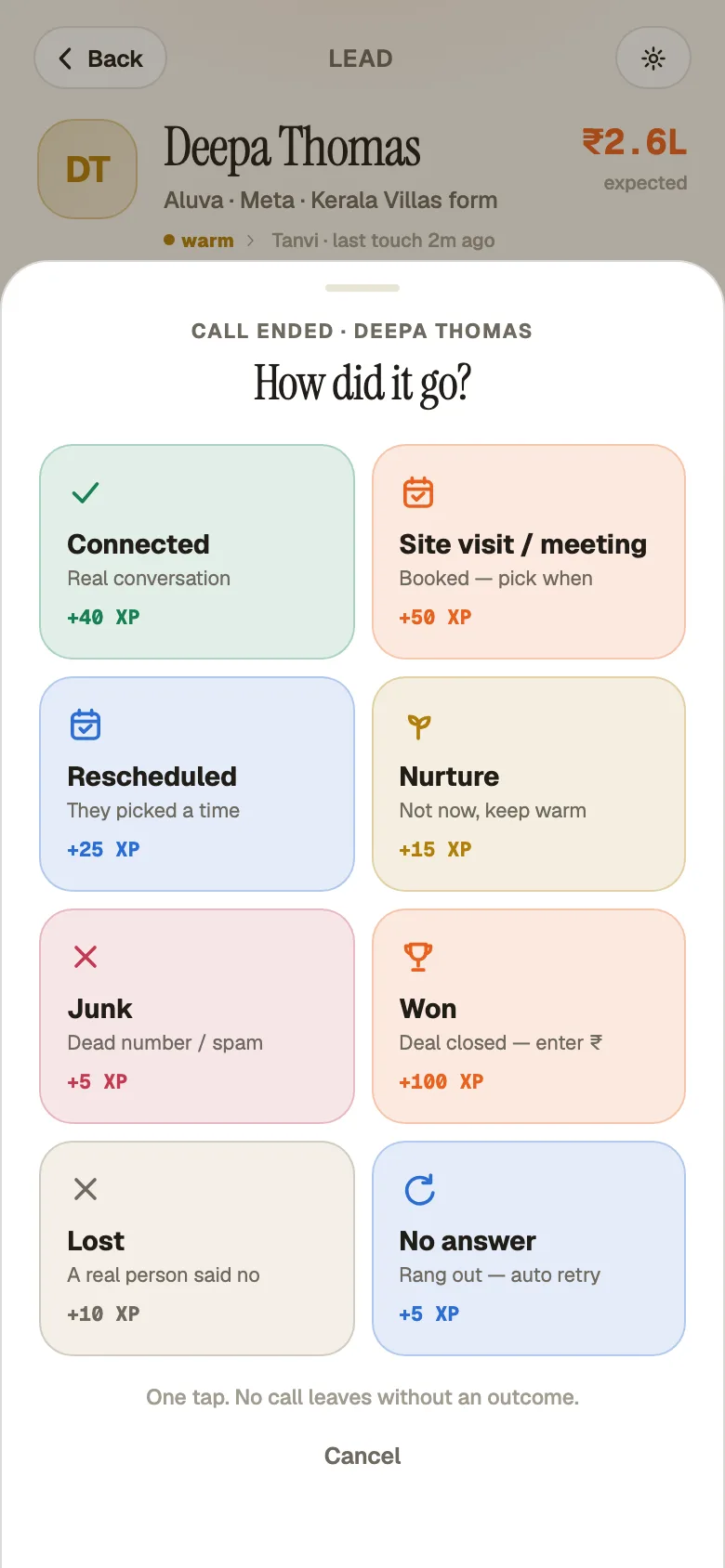
The call ends and the quick-log sheet opens. Demo workspace. Step 3: Lock the next step
Pick when you'll follow up and, if you like, say what. Tap 'Confirm — done in 2 taps'. The call and the next step are on the lead's timeline.
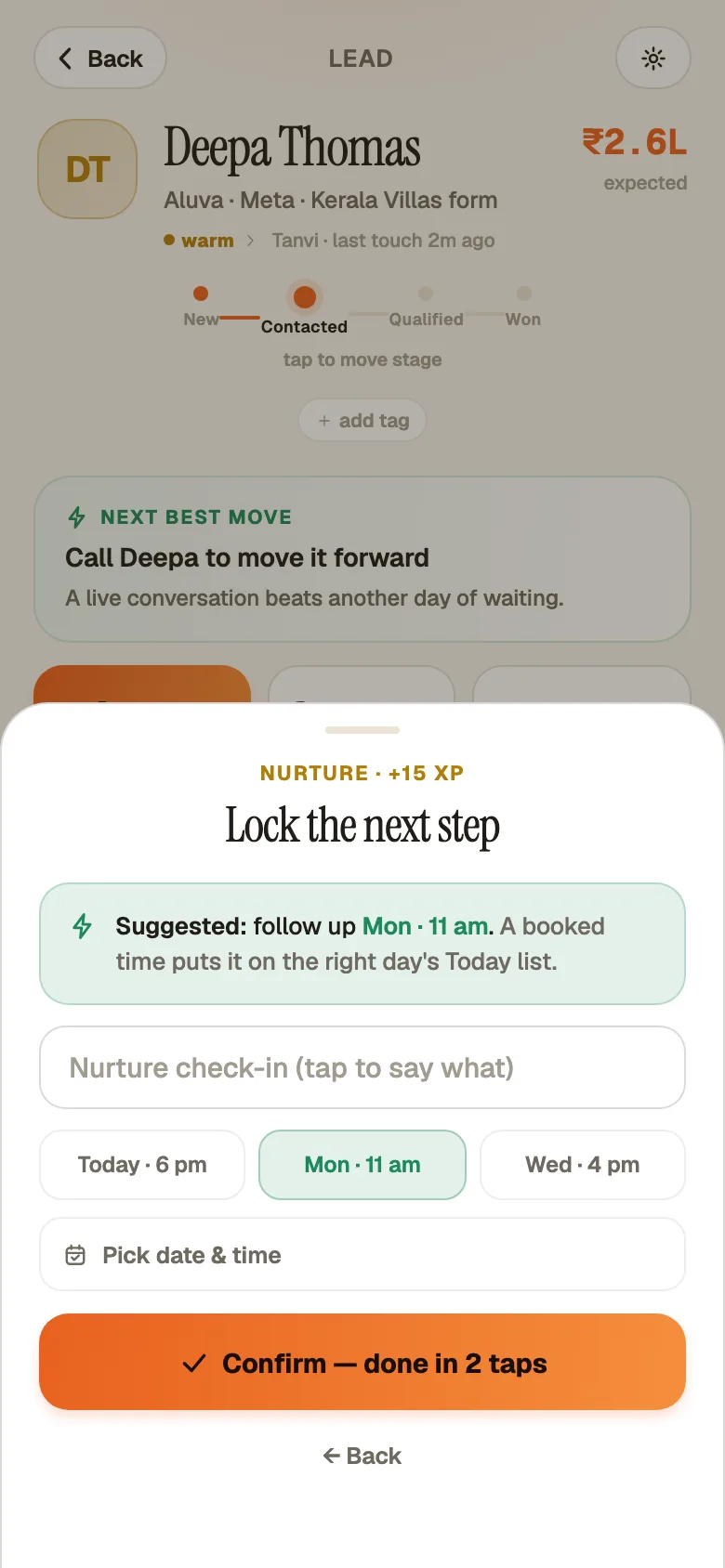
An outcome and the next-step date chosen. Demo workspace. Step 4: Closing a deal
'Won' asks for the deal value, then 'Mark won'. 'Lost' and 'Junk' ask for a reason, then 'Mark lost' or 'Mark junk'. Lost is a real person who said no; junk is spam or a wrong number.
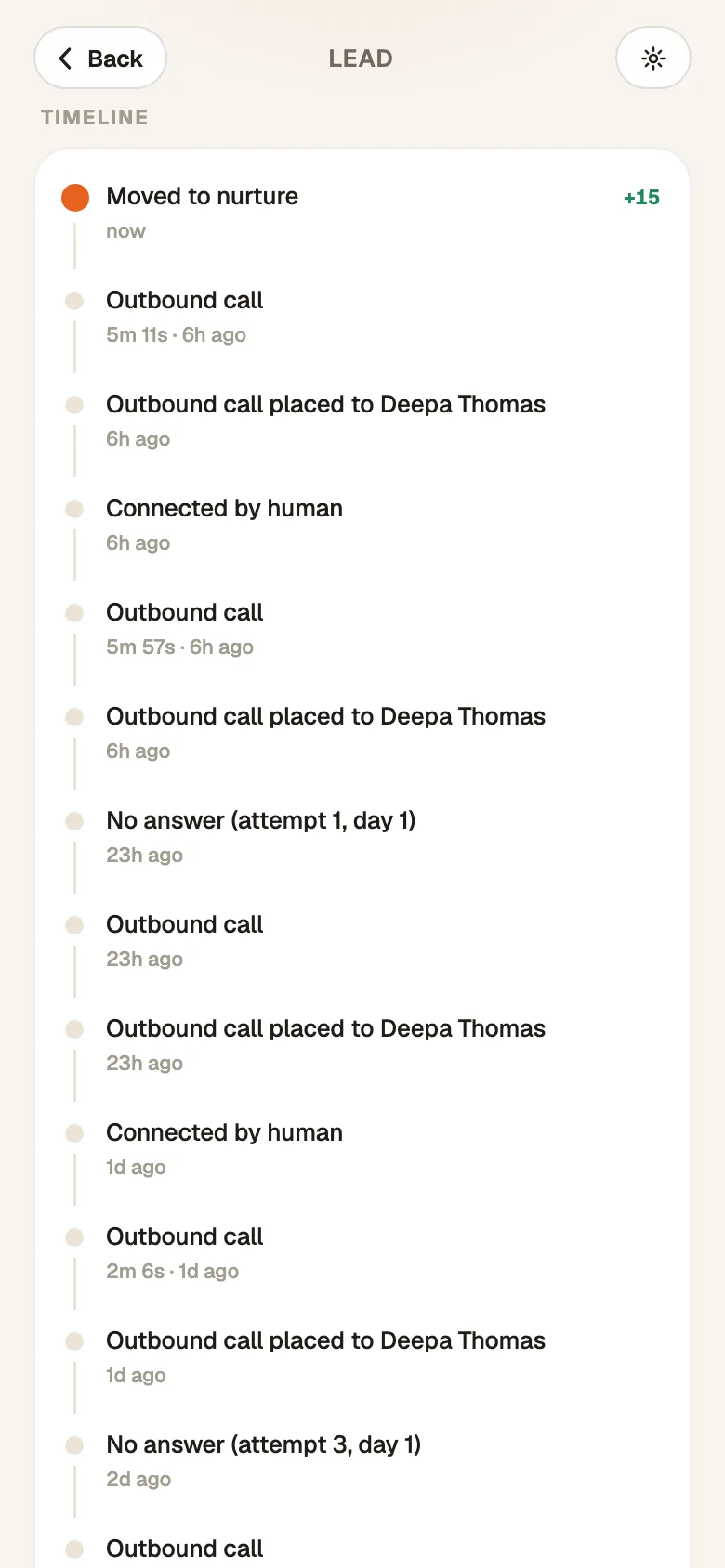
The call and the booked next step on the timeline. Demo workspace. Step 5: On the web
On a lead, click 'Start call'. Afterwards, click 'Connected…': its tooltip reads 'Spoke with them — set the next step before moving on'. Pick a time and click 'Mark connected'. 'No answer', 'Won', 'Lost…' and 'Junk…' sit beside it.
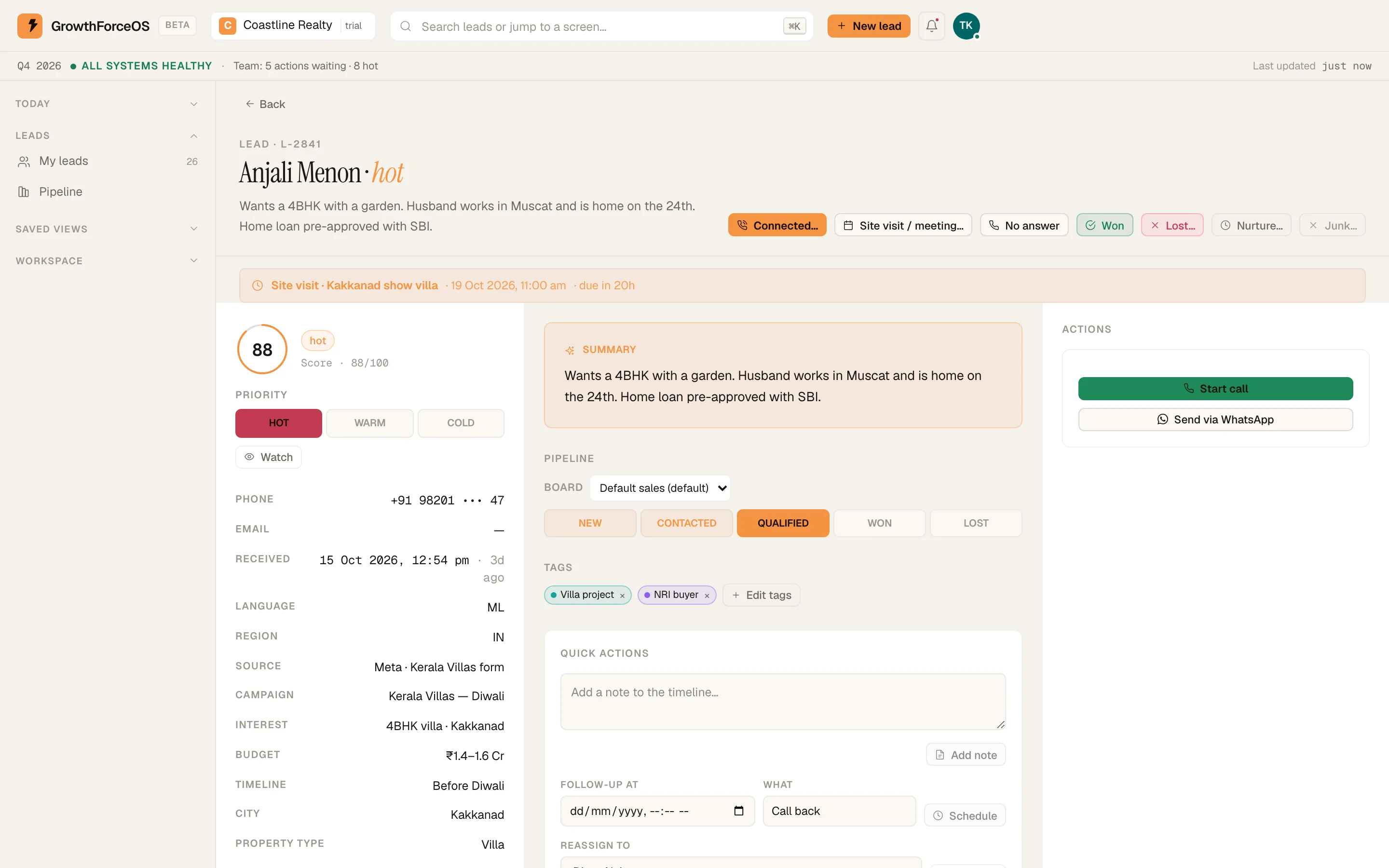
Lead detail: timeline, stage rail and the next step. Demo workspace. Step 6: No answer feeds the ladder
'No answer' is one tap. The retry is booked for you and the lead comes back on Today when it's due. After attempts on enough different days, it parks.
If something's off
The sheet didn't open after my call.
Your owner may have turned off 'Ask after every call' in Setup › Automations. Tap 'Log' on the lead to record the outcome yourself.
Try GrowthForceOS
Trying GrowthForceOS? 60 days free, no card.
No card · 20 seats · 25,000 leads a month · Nothing switches off on day 60