Manager · 6 min read
Manager: run the floor
What you'll get
Daily pulse, At risk, Workload balance, Reassignments and the Arena, with the clicks that fix each one.
Before you start
- Manager or owner sign-in on the web. Keep the Android app handy for leads you're watching.
- Who
- Manager
- Read time
- 6 minutes
Step 1: Start on Overview
Open Overview › Overview. It shows who's online, today's alerts and the floor's activity so far.
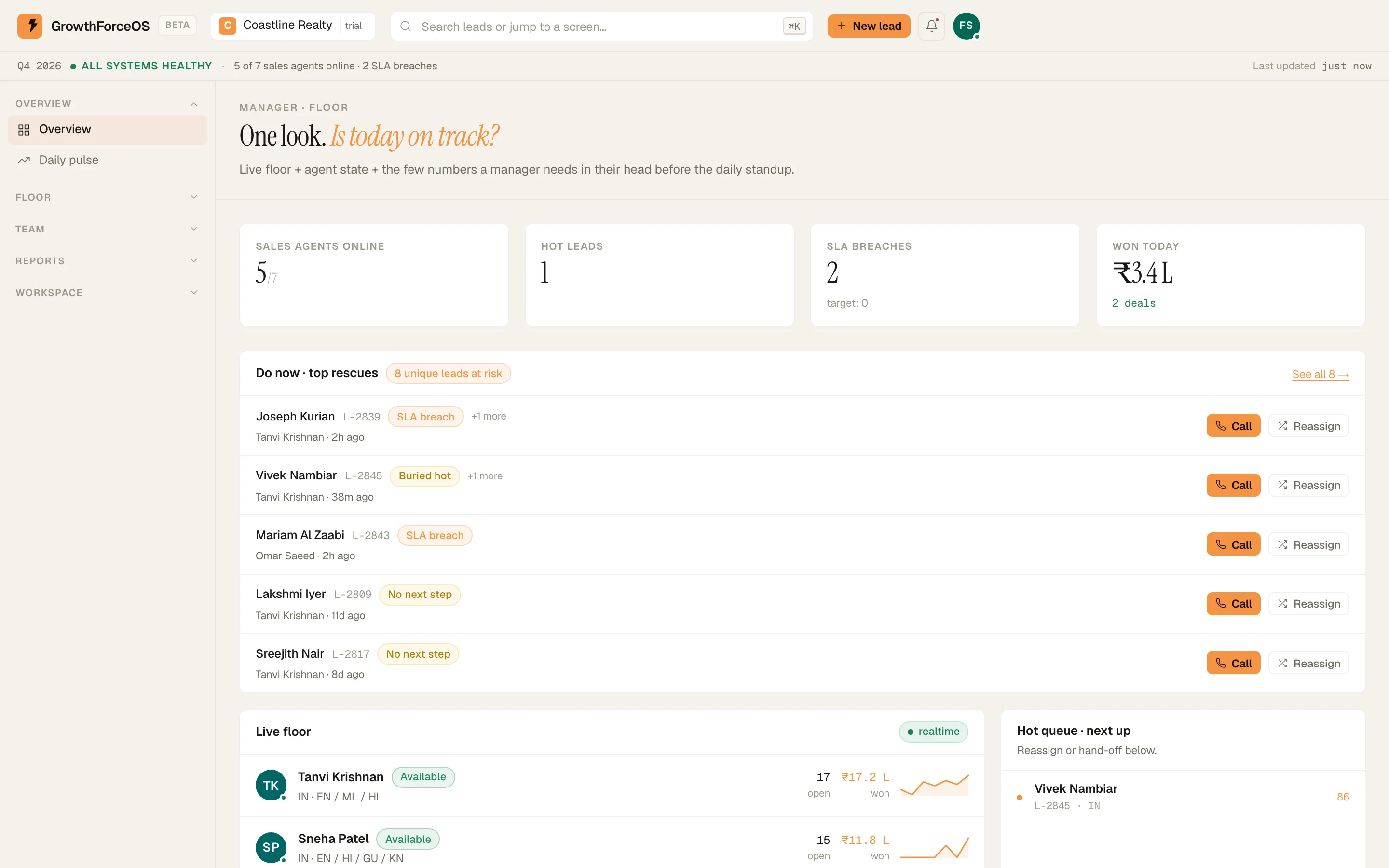
The manager floor: who's online, alerts and pace. Demo workspace. Step 2: Read the Daily pulse twice a day
Open Overview › Daily pulse. It's built as a single page you read at 11 am and 5 pm.
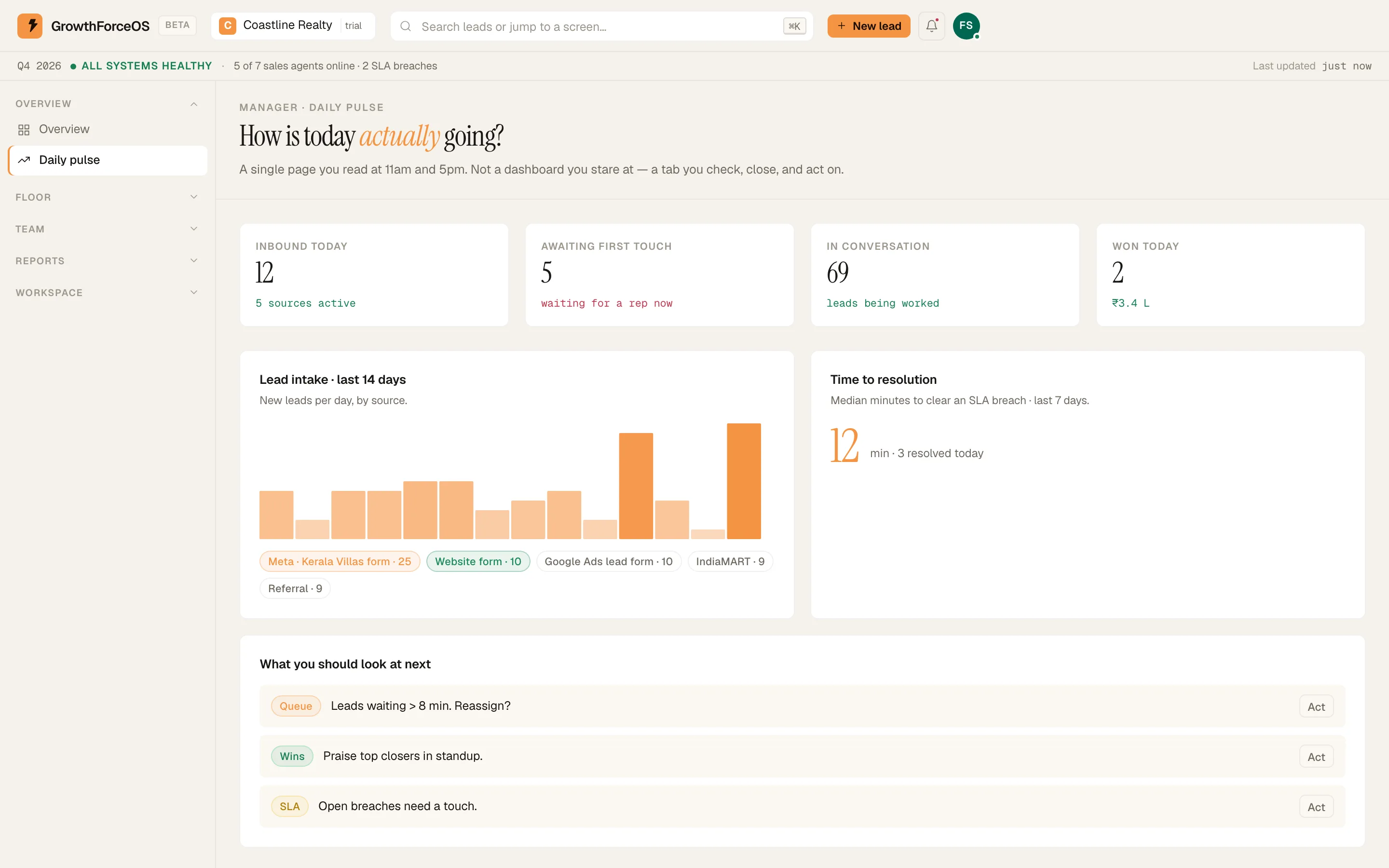
Daily pulse. Demo workspace. Step 3: Clear At risk
Open Floor › At risk. It's one queue, and each lead is tagged with every reason it's there: 'SLA breach', 'Buried hot' or 'No next step'. A lead shows once, however many reasons it has. Work it down by calling, reassigning or setting the missing next step.
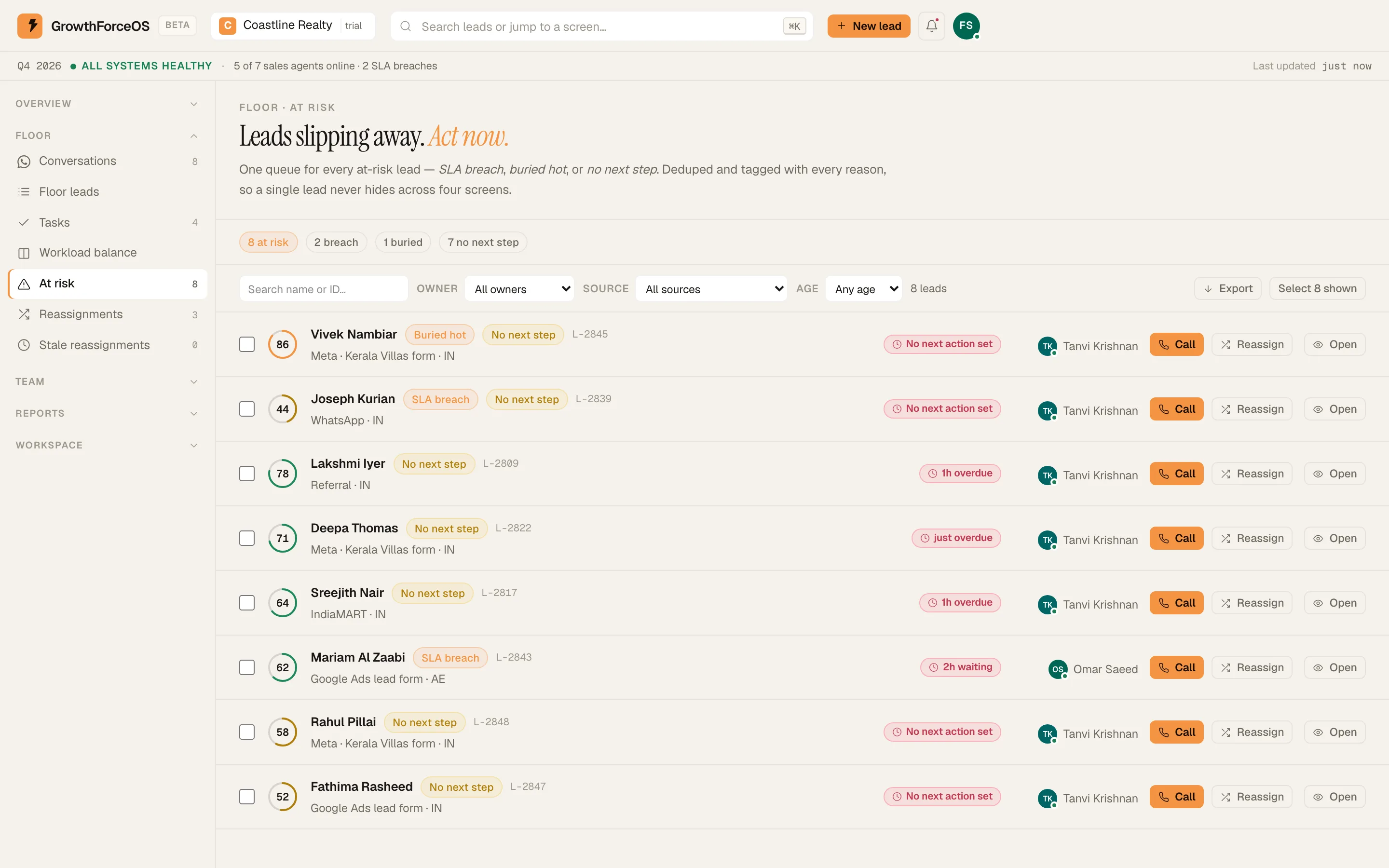
At risk: one queue, each lead tagged with its reason. Demo workspace. Step 4: Even out the load
Open Floor › Workload balance to see who is carrying too many open leads. Move some to a rep with room.
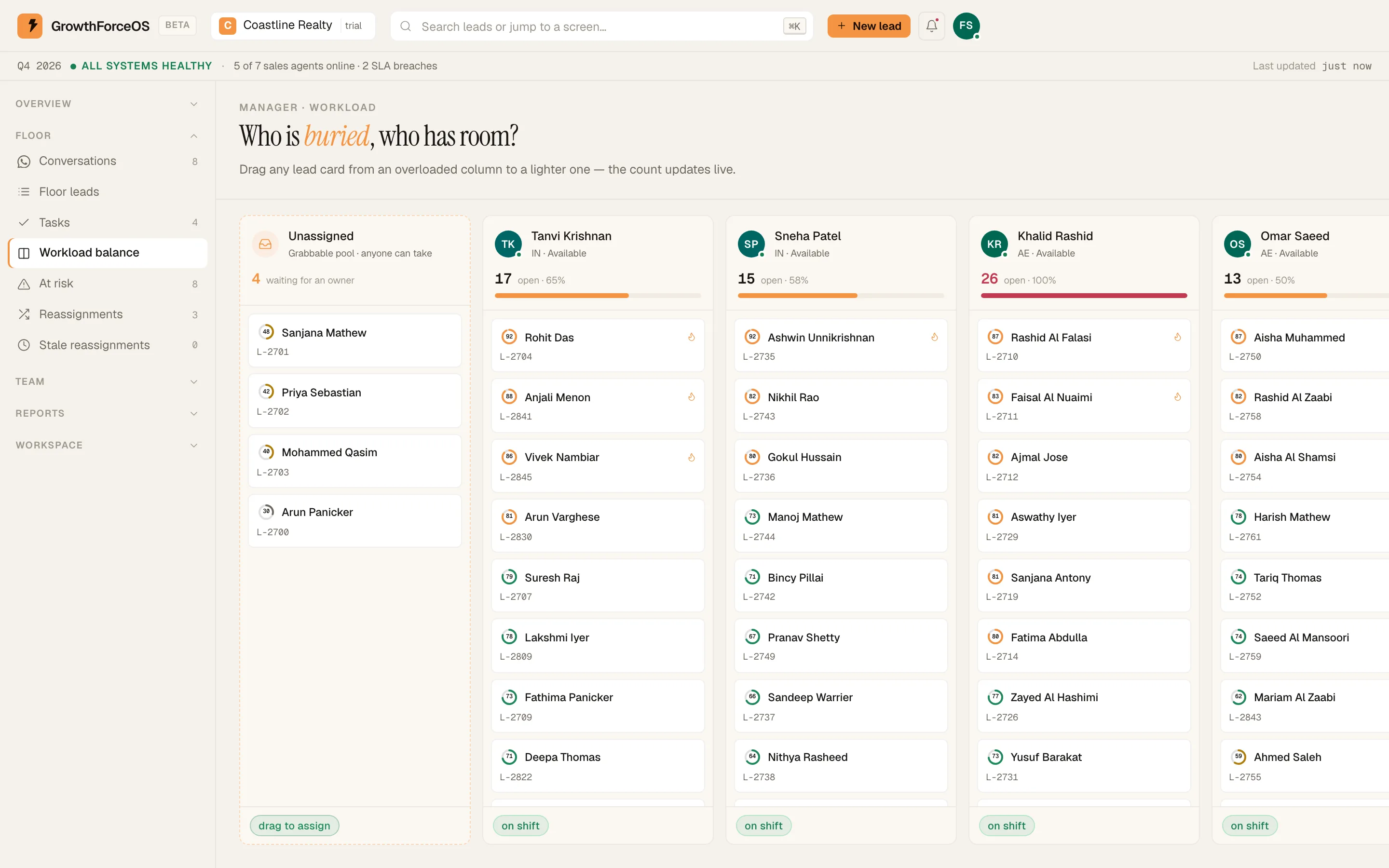
Workload balance across the team. Demo workspace. Step 5: Approve handoffs
Reps ask to hand leads over; the requests wait in Floor › Reassignments. Approve them one by one, or all at once with 'Approve all'. Floor › Stale reassignments shows the ones nobody has acted on.
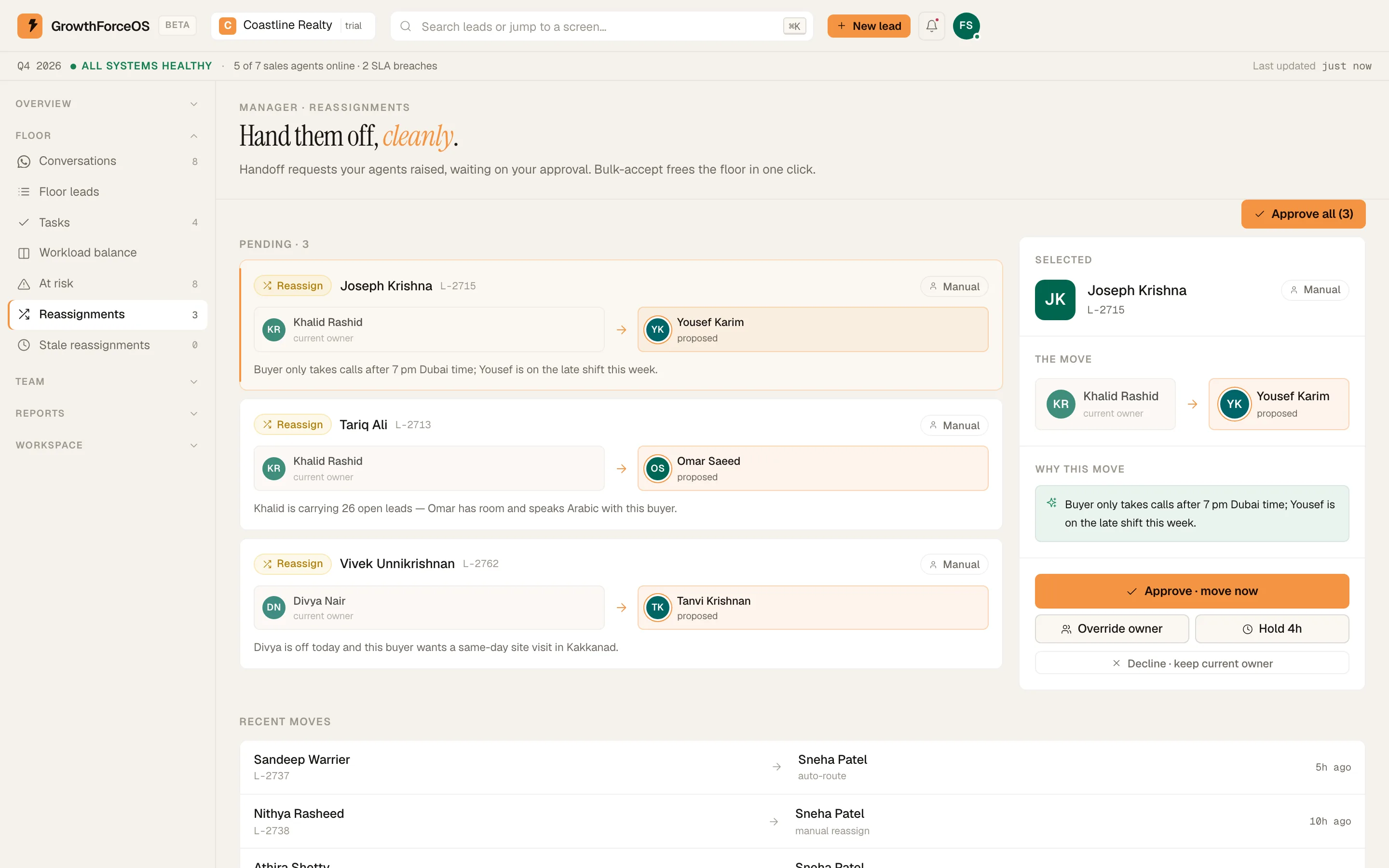
Reassignment requests with bulk accept. Demo workspace. Step 6: Know your people
Team › Agents lists your team. Team › Arena runs the XP, daily quests and weekly leagues reps see on their phones.
Step 7: Act from your phone
On a lead in the Android app, tap the owner row ('Tap to reassign') to hand it to someone else. Tap 'Watch this lead' to get pinged when it changes stage or closes.
If something's off
At risk is long every morning.
Look at the reason tags. Many 'SLA breach' tags point to routing or staffing. Many 'No next step' tags point to calls being closed without a follow-up.
A rep says they never got a lead I can see is theirs.
Check their phone with the fixes guide: notifications, working hours, then sign out and back in.
Try GrowthForceOS
Trying GrowthForceOS? 60 days free, no card.
No card · 20 seats · 25,000 leads a month · Nothing switches off on day 60