Owner · 3 min read
Set your no-answer ladder
What you'll get
Choose the attempts before parking and the retry spacing. Know where parked leads go.
Before you start
- Owner sign-in on the web.
- How long your best rep waits before trying a no-answer lead again.
- Who
- Owner
- Read time
- 3 minutes
Step 1: Open the ladder
Open Setup › Automations and find the 'No-answer ladder' card. It starts on the shipped defaults: retries 2h, 4h, 1d, 2d and 3d apart, and parking after attempts on 6 different days.
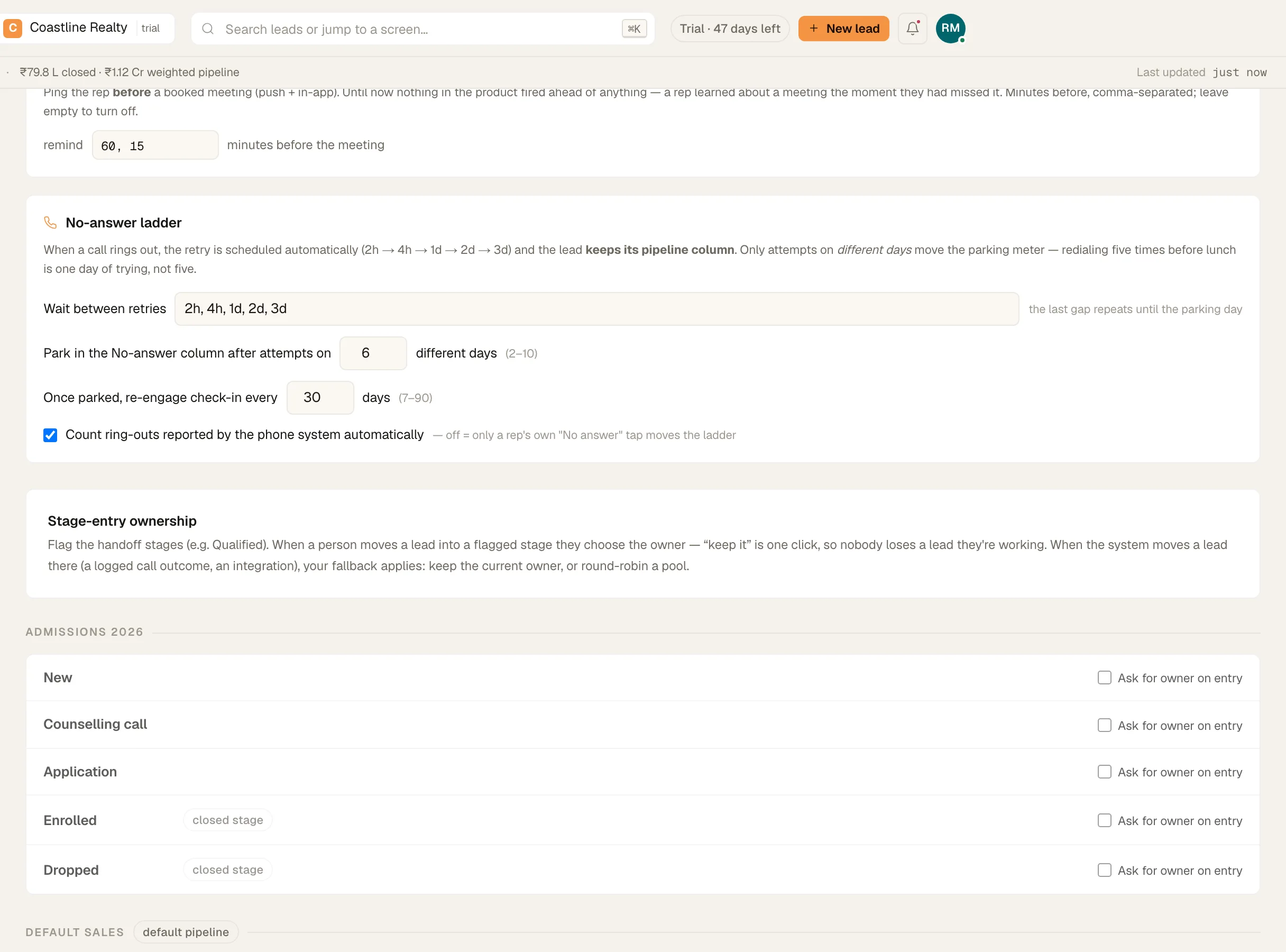
The no-answer ladder in Setup › Automations. Demo workspace. Step 2: Set the spacing
In 'Wait between retries', type the gaps in order, such as 2h, 4h, 1d, 2d, 3d. Use m, h, d or w. The last gap repeats until the lead parks.
Step 3: Set when a lead parks
In 'Park in the No-answer column after attempts on', choose a number from 2 to 10 days. Only attempts on different days count: five redials before lunch is one day of trying. Click 'Save'.
Step 4: Know where the leads go
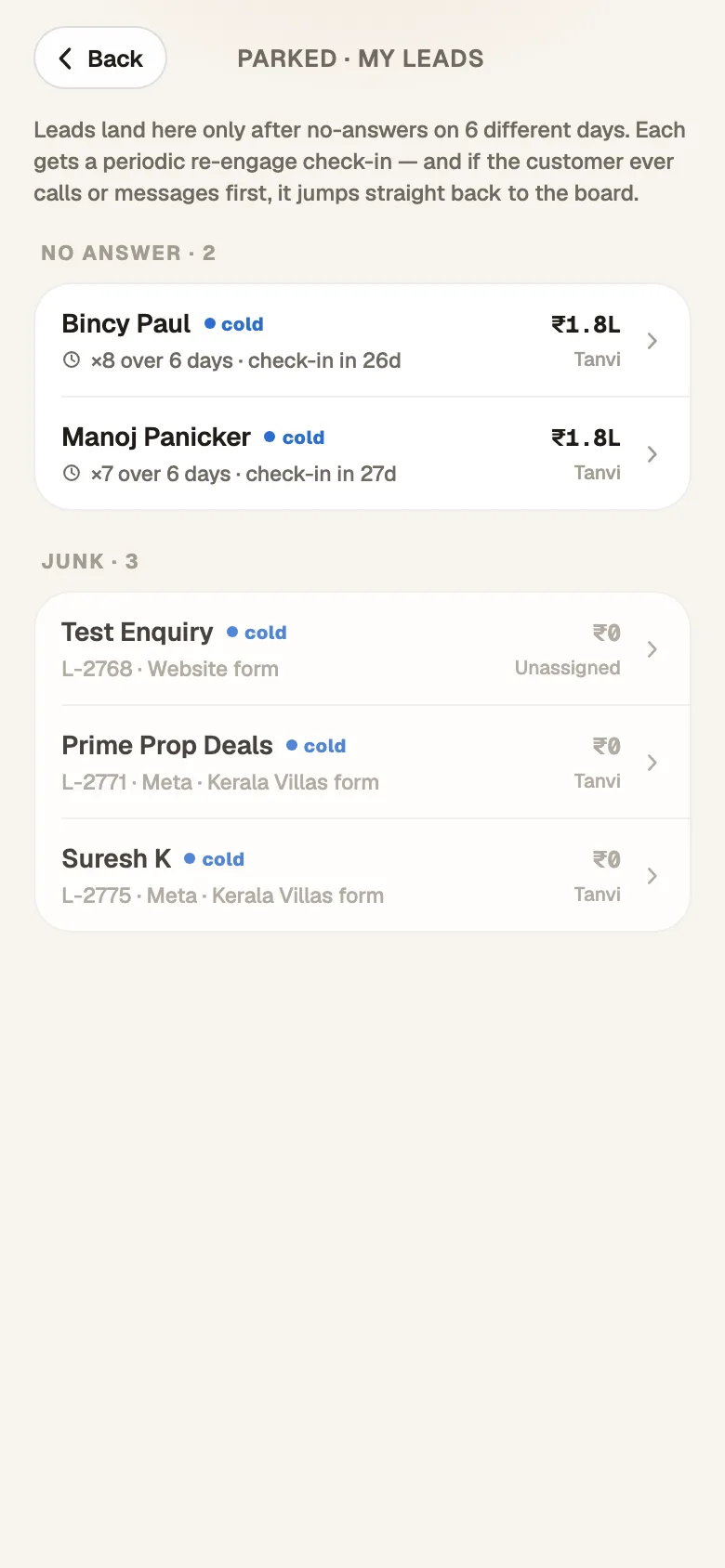
Each 'No answer' schedules the retry, and the lead comes back on the rep's Today list when it's due. It keeps its pipeline column the whole time. Once it parks, it moves to the 'No-answer rail' on the pipeline board, and to the parked list on the phone. A re-engage check-in comes back after the days you set in 'Once parked, re-engage check-in every': 30 by default.
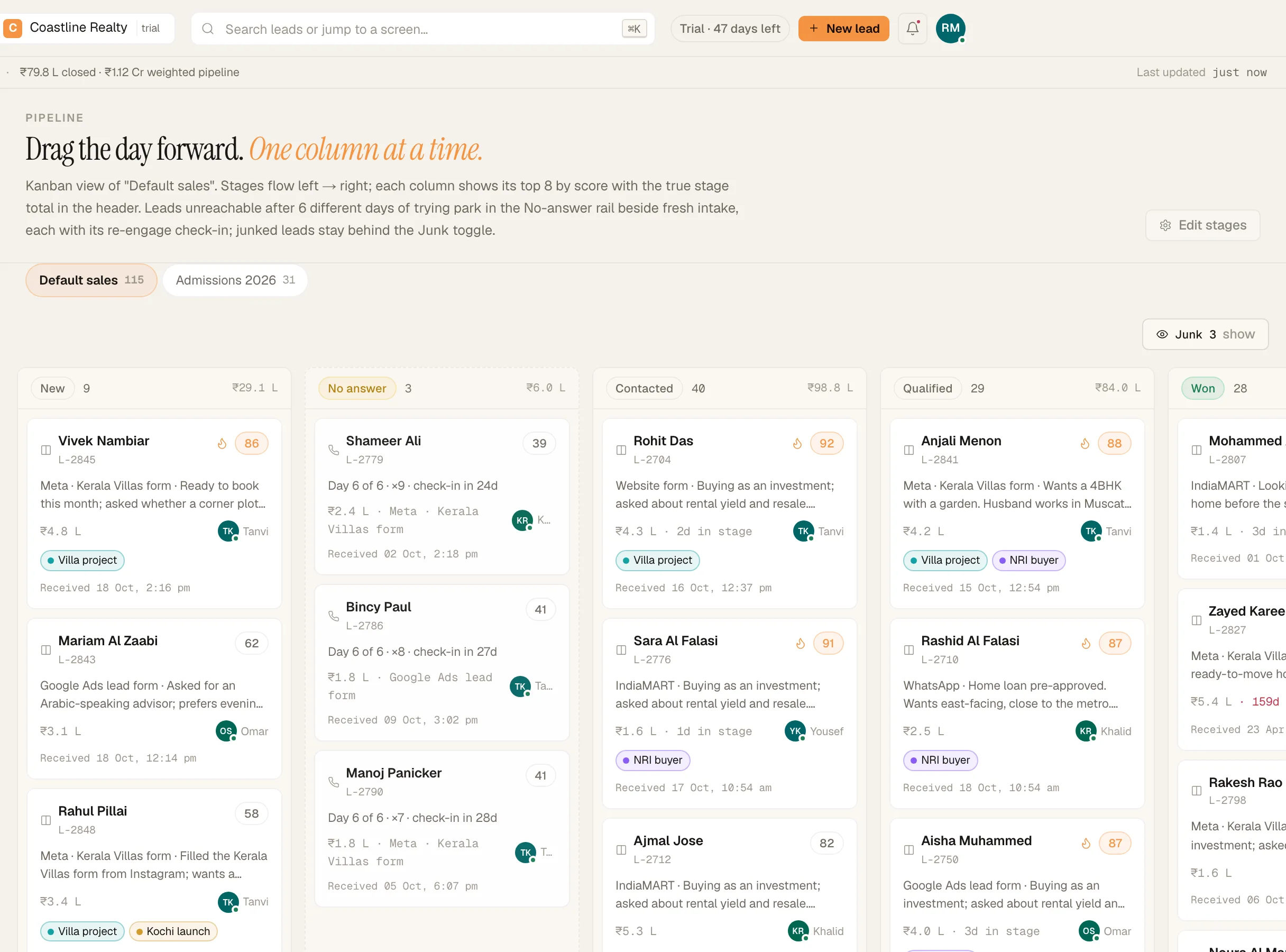
The pipeline board with the No-answer rail. Demo workspace.
What your reps see
On the phone, the Leads tab's parked chip opens every parked lead with how hard it was tried.
If something's off
Do I need the follow-up cadence as well?
No. The ladder handles retries on its own. Leave 'Follow-up cadence' paused.
'Save' won't click.
The spacing has a typo. Each gap needs a number and m, h, d or w, from 15 minutes to 90 days, with up to 12 gaps.
Try GrowthForceOS
Trying GrowthForceOS? 60 days free, no card.
No card · 20 seats · 25,000 leads a month · Nothing switches off on day 60