Rep · 3 min read
Rep: work your Today list
What you'll get
One ordered list of every lead that needs you, each with the reason it's there. Work it top-down.
Before you start
- Signed in on the web or the Android app as a rep.
- Who
- Rep
- Read time
- 3 minutes
Step 1: Open Today on the web
Open Today › Today. It holds every lead that needs you today, once, with the reason it's there, most urgent first. Work it from the top.
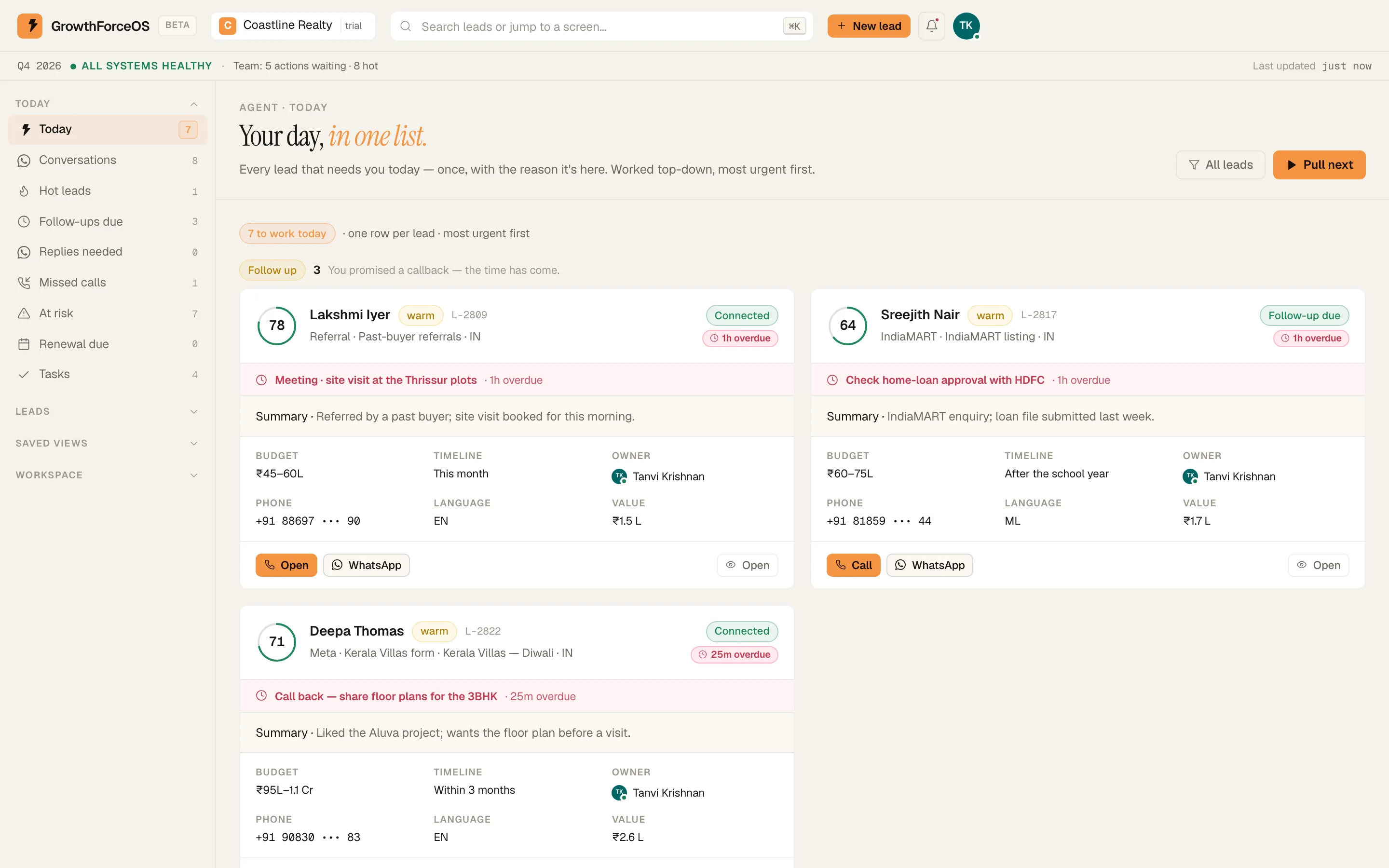
A rep's Today board. Demo workspace. Step 2: Narrow it when you need to
The same group has 'Hot leads', 'Follow-ups due', 'Missed calls', 'At risk', 'Renewal due' and 'Tasks'. Each one is a slice of the same work.
Step 3: Use the phone between calls
On Android, the 'Today' tab is the same list. A fresh lead shows 'NEW · reply in m:ss': you have five minutes. Tap 'Call now' on the top card.
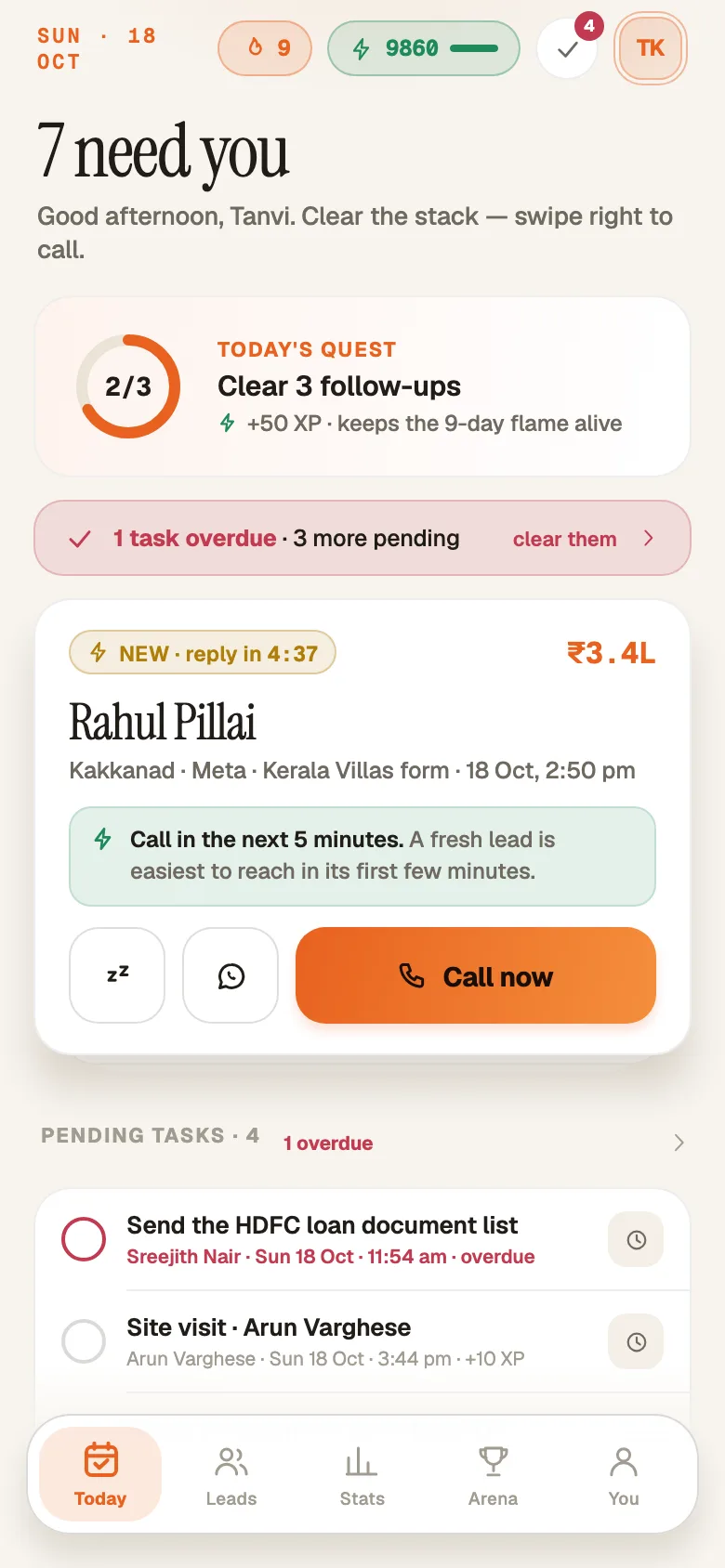
The Today tab on Android. Demo workspace. Step 4: Close every call with a next step
After each call, log what happened and when you'll try next. No-answer retries come back to Today on their own when they're due. The log-a-call guide shows the two taps.
If something's off
A lead keeps coming back after I couldn't reach them.
That's the no-answer ladder doing its job. It parks the lead after attempts on several different days, set by your owner.
A lead I expected isn't on Today.
Check its next step: a lead with a follow-up booked for later waits until that time. Find it with 'Search leads or jump to a screen…' in the top bar.
Try GrowthForceOS
Trying GrowthForceOS? 60 days free, no card.
No card · 20 seats · 25,000 leads a month · Nothing switches off on day 60